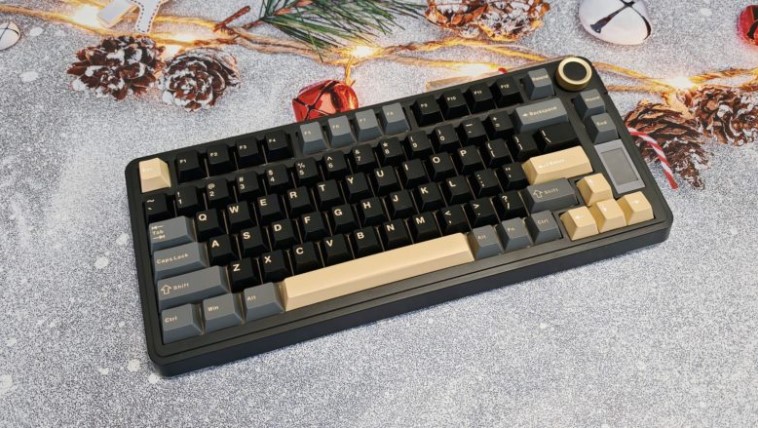
The EPOMAKER x AULA EA75 Max is an improved version of the popular EA75 keyboard, created in collaboration between EPOMAKER and AULA. The new model features a volume control wheel, a color display, and a compact design. Learn more about this model in our review.
Technical specifications
- Form factor: 75%
- Structure: classical
- Switches: LEOBOG Reaper / LEOBOG Silent Cotton Candy mechanical switches
- Number of keys: 80 + volume control roller
- Layout: ANSI, en
- Hot swappable switches: yes
- Keycaps: PBT, Cherry profile
- NKRO: yes
- Backlight: RGB (customizable)
- Multimedia: Fn+keys+roller
- Connectivity: USB-C, Bluetooth, 2.4 GHz radio
- Polling rate: up to 1000 Hz
- Input lag: 1 ms
- Compatibility: Windows, macOS
- Body material: plastic
- Wrist rest: no
- Dimensions: 333.29 x 147.39 x 43.17 mm
- Weight: 958.5 g
- Battery: 5000 mAh
- PO: yes
- Features: volume control roller, TFT display
Equipment and design
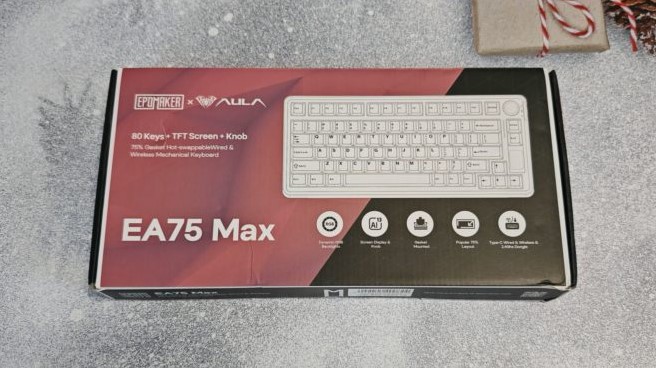
The EPOMAKER x AULA EA75 Max comes in a cardboard box with a schematic diagram of the model and a list of its main features, such as RGB lighting, display, gasket-mount design, tri-mode connectivity, and so on.
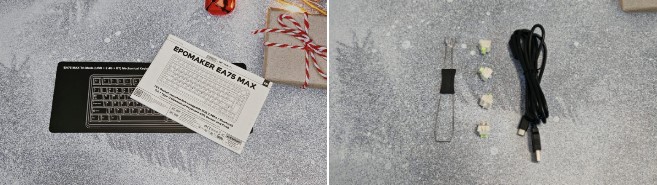
The keyboard is individually packaged inside and covered with a plastic cover, which can be used for dust protection. Cardboard buffers protect the device from damage. The package also includes a USB-A to USB-C cable, a double-sided keycap and switch puller, several spare switches, and a user manual.
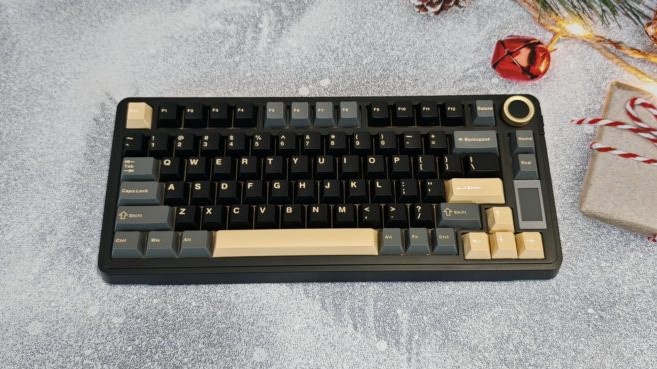
The new product is made in a 75% form factor, equipped with 80 keys, a volume control wheel and a small TFT display, which has replaced the PgUp and PgDn keys – their functions will have to be called up using Fn combinations.
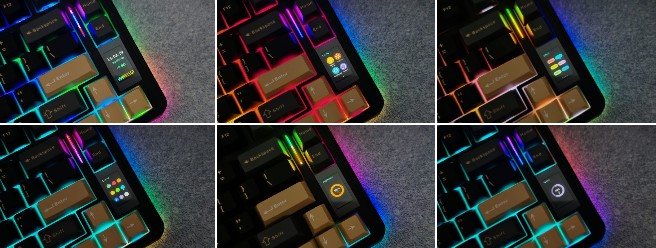
The wheel in the upper right corner rotates with a distinctive, pleasant crackling sound. It serves a dual purpose: in normal mode, it adjusts the volume, and when switched to alternate mode (by holding down Fn and pressing the center of the wheel), it allows you to control display functions and adjust the backlight .
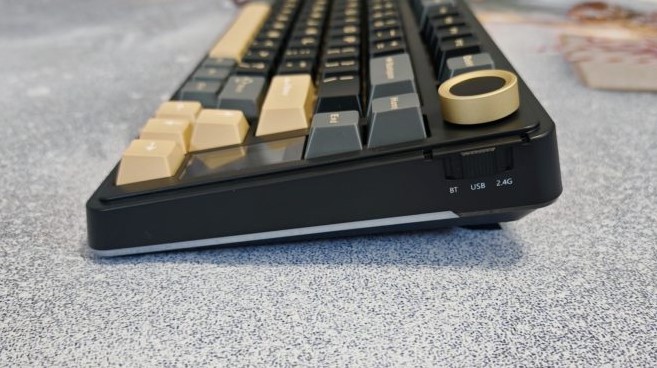
On the right side, next to the dial, is a three-position switch for connection modes: Bluetooth, USB, and 2.4 GHz. The USB cable port is located on the rear side of the case. There’s also a slot for a USB dongle, which is securely held in place by a magnet.
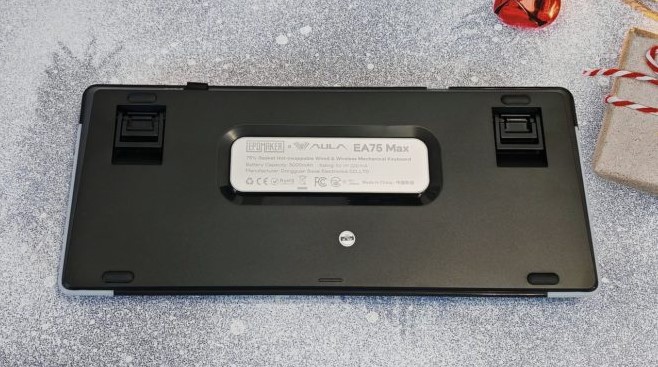
The keyboard’s base features rubber feet to prevent the device from sliding around on the desk . A pair of two-position flip-up feet adds ergonomics, allowing you to raise the back of the keyboard for a more comfortable typing position.
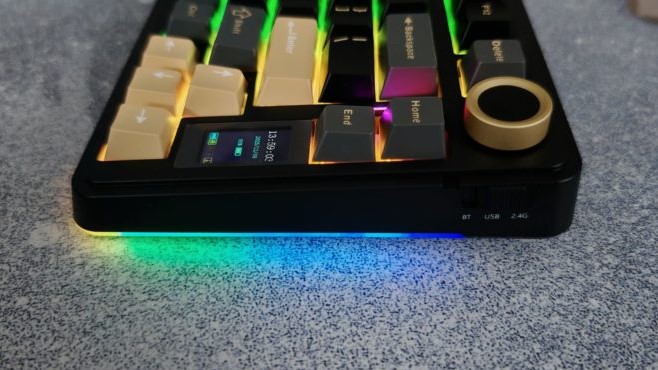
Two RGB backlight strips run along the bottom edge of the case, complementing the key illumination . The south-facing LEDs on the switches make the illumination brighter and more visible. However, the key legends are not translucent, so if you’re working in the dark, you’ll need to use an external light source.
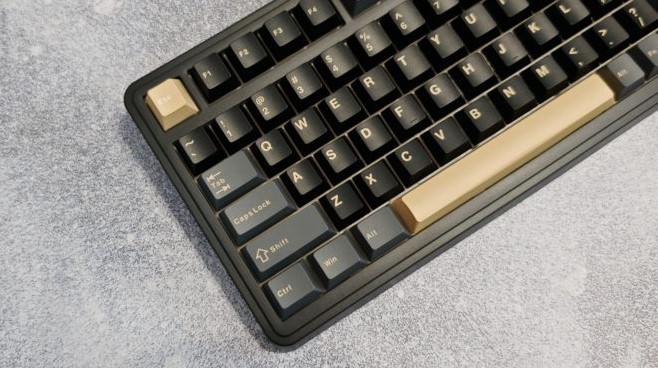
The keycaps are made of abrasion-resistant PBT plastic. The keyboard comes in a three-tone color scheme: black, gray, and gold—a nice, fun look. The keycaps feature the tried-and-true Cherry profile, comfortable for both typing and gaming. The long keys are equipped with stabilizers, ensuring a consistent keystroke across their entire length.
Connection and setup
The model supports three connection modes: wireless Bluetooth and 2.4 GHz, as well as wired USB. Bluetooth is recommended for work tasks: although this connection type is more energy-efficient, it has a low polling rate (125 Hz) and high input latency (8-64 ms). When connected via USB and 2.4 GHz, the polling rate is 1000 Hz, and input lag is reduced to 1-8 ms. These are gaming-grade values that will ensure good responsiveness in online games.
You can configure the keyboard using proprietary software, which can be downloaded from the official website.
The app offers functions for remapping keys, managing macros, adjusting the backlight, and checking for firmware updates. You can also upload GIF animations or images to the TFT display .
The keyboard is ready to use right out of the box and requires no basic setup. Therefore, you don’t need to download any software unless you need to fine-tune your device.
Impressions of use
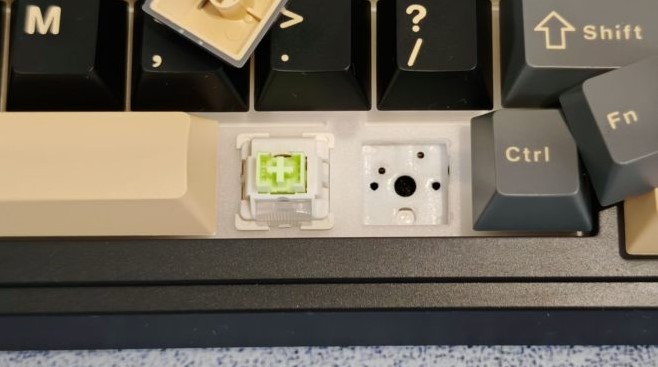
Our EPOMAKER x AULA EA75 Max sample comes equipped with LEOBOG Reaper mechanical linear switches: 45g actuation force, 55g final force, 1.8mm travel, 3.6mm total travel, and a 60-million-keystroke lifespan. The switch is hot-swappable, allowing you to easily install compatible switches if needed.
The keyboard features a gasket-mount design, with layers of insulating material sandwiched between the case and the circuit board. This results in a pleasant, creamy sound, free of any unwanted noise or echo. While the typing isn’t exactly silent, it’s not irritating.
The model has been tested in online shooters like CS 2 and Fortnite , as well as single-player games , from strategy games like Anno 117: Pax Romana to RPGs like Of Ash and Steel. Linear switches perform their function perfectly, providing precise control and comfortable operation.
A 5000 mAh battery provides the keyboard with long battery life. With the backlight turned off, you can work and play for up to two weeks, while with the backlight turned on, the battery life drops to five to six days.
Conclusion
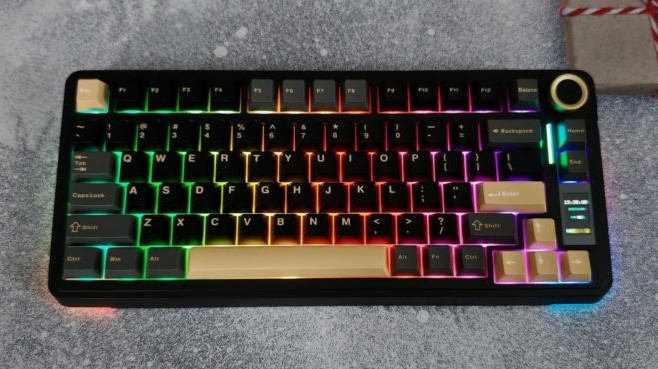
The EPOMAKER x AULA EA75 Max is an upgraded version of the EPOMAKER EA75 we previously reviewed . Compared to its predecessor, the new model features an even more convenient volume control wheel and an informative display. The latter shows the date and time, various keyboard statuses, such as whether Caps Lock is on, and allows you to customize the backlight without installing software. While not essential, it’s a welcome addition to the device’s core features.
Ultimately, this new product will delight its owner with its build quality, battery life, bright illumination, and reliable operation. Moreover, the model is offered at a very affordable price. Whether you choose the EPOMAKER x AULA EA75 Max or look for something else is entirely up to you.
- High-quality assembly
- Volume control wheel and display
- Good battery life
- Ready to work out of the box
- Plastic body
- Not the quietest switches







