Want to make your life easier in Manor Lords or just experiment? Then cheats and console commands will come in handy.
This single-player strategy game is a true delight for those who enjoy tactical battles, city building , and economic management. Manor Lords is both captivating and quite challenging to master. So if you’re looking to freely explore its vast expanses, experiment with its mechanics, or simply have fun, here’s a detailed guide to help you open the console and activate cheats in Manor Lords.
How to turn on the console
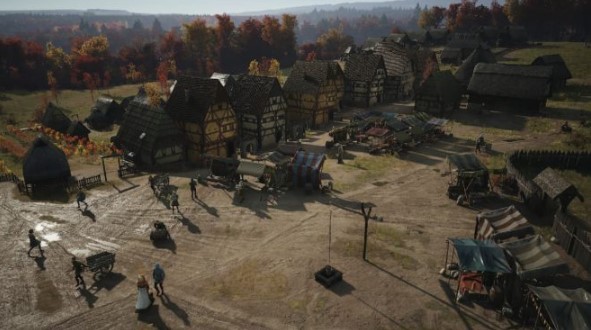
Unfortunately, you can’t enable cheats or console commands directly in the game—there’s simply no such option. But there is a solution: amateur modifications.
The first thing you need to do is install the RE-UE4SS mod loader by following these steps:
- Download the latest version of the loader from the Nexus Mods portal https://www.nexusmods.com/manorlords/mods/229 .
- Next, unzip the contents of the archive into the /Manor Lords/Binaries/Win64/ folder.
- After that, download the Console Commands mod ( https://www.nexusmods.com/manorlords/mods/203 ) from the Nexus Mods website. Next, launch the game and press F10 to activate the console, allowing you to enter cheats.
List of console commands in Manor Lords

Once you’ve installed everything you need, you can begin the fun part—entering console commands that will add variety to your gameplay, making it significantly easier or, conversely, even more challenging. A complete list of all available commands is provided below:
- k.addChallengesByPlayerDaysLeft (required number) – allows you to set the number of days left until the end of challenges started by the player.
- k.addChallengesTowardsPlayerDaysLeft (the desired number) – allows you to set the number of days left until the end of the challenges automatically issued by the game.
- k.addClayDepositAtCursor (the desired number) – allows you to set the clay deposit at the point under the cursor; its amount will correspond to the number you specify.
- k.addDevelopmentPoint (the desired number) – allows you to set the number of development points for the specified region.
- k.addInfluence (required number) – allows you to set the desired level of influence.
- k.addIronDepositAtCursor (the desired number) – allows you to set the iron deposit at the point under the cursor; its amount will correspond to the number you specify.
- k.addKingsFavor (the desired number) – allows you to set the desired level of the king’s favor.
- k.addMilitiaToRegion (militia name) – allows you to add the desired militia to the selected region; the unit name itself must be written in English. For example: Militia Footmen (infantry), Spear Militia (spearmen), Polearm Militia (soldiers with polearms), Archer Militia ( archers ).
- k.addMilitiaToRegionByName (region name) (militia name) – allows you to add the desired militia to the region you specify.
- k.addRegionalWealth (the desired number) – allows you to set the wealth level of the selected region.
- k.addRegionApproval (required number) – allows you to set the approval level of the selected region.
- k.addRegionPublicOrder (required number) – allows you to set the public order level of the selected region.
- k.addResourceToForeignSupply (resource name) (required number) – allows you to add a resource imported by foreign suppliers; the resource name itself must be specified in English. For example: Wool, Honey, Salt, etc.
- k.addResourceToSelectedBuildings (resource name) (required number) – allows you to add a resource to the selected building; the resource name itself must be written in English.
- k.addTreasury (required number) – allows you to set the amount of funds in the lord’s treasury.
- k.buildInstantly – allows you to instantly complete the construction of the selected building.
- k.declarePeaceToBaron – allows you to declare peace to the baron.
- k.declareWarToBaron – allows you to declare war on the baron.
- k.demolishSelectedBuildings – allows you to demolish selected buildings.
- k.disbandOtherLordsMercenaries – allows you to disband all other Lords’ units that are part of the mercenaries.
- k.emptyRegionBerries – allows you to reset the number of berries on all berry bushes in the selected region to 0.
- k.emptyRegionBerriesCapacity – allows you to reset the fruitfulness of all berry bushes in the selected region to 0.
- k.emptyRegionStoneDepositAmount – allows you to reset the stone reserves in the selected region to 0.
- k.enterCommandsFromFile (text file directory) – allows you to enter commands specified in a text file. To do this, you need to specify the exact path to the file on your computer. For example: C:/New Folder/Textfile.txt.
- k.finalizeClaims – Completes the process of capturing all regions you are currently claiming.
- k.finalizePlayerClaimOnRegion – Completes the process of claiming the selected region that you are currently claiming.
- k.finishPlayerBuildings – finishes the construction process of all buildings currently under construction (may work with bugs).
- k.finishSelectedBuildings – finishes the construction process of the selected building that is currently under construction (may work with bugs).
- k.followUnitAtCursor – allows you to follow the unit that the cursor is currently pointed at.
- k.forwardDay (the desired number) – rewinds in-game time forward by the specified number of days.
- k.growRegionPopulation – increases the population of the selected region by 1.
- k.growRegionPopulation(specified amount) – Increases the population in the selected region by the specified amount.
- k.healPlayerUnits – Allows you to heal all military units under your command.
- k.healRegionFamiliesDisease – allows you to heal all families in a selected region from diseases.
- k.healSelectedBuildingsFamiliesDisease – allows you to heal all families in selected buildings from diseases.
- k.increaseRegionBerriesCapacity (the desired number) – allows you to increase the minimum fruit capacity of all berry bushes in the selected region by the specified number.
- k.increaseRegionStoneDepositAmount (required number) – allows you to increase the minimum stone reserves in the selected region by the specified amount.
- k.increaseSelectedBuildingsCropsYieldBy (number) – Increases the yield of random crops in selected buildings by the specified number.
- k.layRegionClaim – allows you to claim the selected region as your own.
- k.layRegionClaimForBaron – allows you to declare the selected region as belonging to the baron.
- k.makeDrought – allows you to initiate a drought.
- k.makeDroughtInstantly – allows you to start a drought at the maximum level.
- k.makeRain – allows you to make it rain .
- k.makeRainInstantly – allows you to start rain at maximum intensity.
- k.markNormalClayDepositAtCursor – allows you to mark the clay deposit at the point under the cursor as a normal deposit.
- k.markNormalIronDepositAtCursor – allows you to mark the iron deposit at the point under the cursor as a normal deposit.
- k.markRichClayDepositAtCursor – allows you to mark the clay deposit at the point under the cursor as a rich deposit.
- k.markRichIronDepositAtCursor – allows you to mark the iron deposit at the point under the cursor as a rich deposit.
- k.moveRegionByNameChallengeToCursor (region name) – moves the location of the battle associated with the selected region to the point under the cursor.
- k.setTreasury (required amount) – allows you to set the treasury level.
- k.skipDrought – allows you to skip drought.
- k.skipDroughtInstantly – allows you to instantly skip drought.
- k.skipRain – allows you to skip the rain.
- k.skipRainInstantly – allows you to skip rain instantly.
- k.skipRegionLivestockOrderInterval – allows you to skip the interval between animal orders in the current region.
- k.spawnBanditCamp – allows you to create a bandit camp in a random location on the map.
- k.spawnBerryBushAtCursor – allows you to create a berry bush at the point under the cursor.
- k.spawnClayDepositAtCursor (the desired number) – allows you to create clay deposits at the point under the cursor.
- k.spawnIronDepositAtCursor (the desired number) – allows you to create iron deposits at the point under the cursor.
- k.spawnNewFamily – allows you to create a family in the selected region.
- k.spawnNewFamily (required number) – allows you to create multiple families in the selected region.
- k.spawnNewFamilyAtCursor – allows you to create a family in the selected region at the point under the cursor.
- k.spawnNewFamilyAtCursor (the desired number) – allows you to create several families in the selected region at the point under the cursor.
- k.spawnNewFamilyMember – allows you to create a family member in the selected region.
- k.spawnNewFamilyMember (required number) – allows you to create multiple family members in the selected region.
- k.spawnNewFamilyMemberAtCursor – allows you to create a family member in the selected region at the point under the cursor.
- k.spawnNewFamilyMemberAtCursor (the desired number) – allows you to create multiple family members in the selected region at the point under the cursor.
- k.spawnPlayerRegionsBuildingHandcarts – allows you to spawn handcarts near buildings owned by the player.
- k.spawnRaider (required number) – allows you to spawn a certain number of raiders on a random edge of the map.
- k.spawnRaiderRallyAtCursor (required number) – allows you to spawn a certain number of raiders at the point under the cursor.
- k.spawnRegionBuildingsHandcarts – allows you to spawn handcarts near buildings in the selected region.
- k.spawnSelectedBuildingsConstructionResources – Allows you to spawn the remaining construction resources in the selected buildings.
- k.spawnStoneChunkAtCursor – allows you to create stone chunks at the point under the cursor.
- k.spawnWildAnimalAtCursor (the desired number) – allows you to spawn one or more wild animals at the point under the cursor.
- k.teleportFollowingUnitToCursor – allows you to move the selected unit to the point under the cursor.
- k.teleportSelectedSquadsToCursor – allows you to move the selected squads to the point under the cursor.
- k.triggerGameOver – allows you to trigger the game over.
- k.triggerVictory – allows you to trigger victory in the game.
- k.weakenBandits – allows you to weaken all units assigned to the bandit squad.
- k.weakenRaiders – allows you to weaken all raider units.
- k.withdrawClaimsAndChallengesTowardsPlayer – causes lords to withdraw their claims and challenges to the player.
- Rain meter – a hidden game mechanic used to determine when rain starts and ends.
- k.multiplySelectedBuildingsCropsYieldBy (number) – allows you to multiply the yield of all crops in the selected buildings by the specified number.
- k.printArmyConsoleCommands – allows you to print army-related commands to the console window.
- k.printCommands – allows you to display the commands of this mod in the console window.
- k.printConsoleCommands – allows you to display descriptions of the mod’s commands in the console window.
- k.printForeignSupply – allows you to display information related to external supplies in the console window.
- k.printLordConsoleCommands – Allows you to print lord-related commands to the console window.
- k.printMiscConsoleCommands – allows you to print other commands to the console window.
- k.printRegionConsoleCommands – allows you to print region-related commands to the console window.
- k.putOutRegionBuildingsFire – allows you to extinguish fires in buildings in the selected region.
- k.putOutSelectedBuildingsFire – allows you to extinguish fires in all selected buildings in the specified region.
- k.refillRegionBerries – allows you to refill berries on berry bushes in the selected region.
- k.releaseLockedMercenaryPool – allows you to release mercenaries that are not currently hired by any lord.
- k.releaseMercenaryById (mercenary squad name) – allows you to release mercenaries from the specified squad.
- k.removeBerryBushAtCursor – allows you to remove the berry bush at the point under the cursor.
- k.removeBerryBushClumpAtCursor – allows you to remove all berry bushes at the point under the cursor.
- k.removeDeerSquadByDeerAtCursor – allows you to remove deer at the point under the cursor.
- k.removeDepositAtCursor – allows you to remove resource deposits at the point under the cursor.
- k.removeOffMapWildlifeHerds – allows you to remove wild animals that are outside the map.
- k.removeStoneChunkAtCursor – allows you to remove stone chunks at the point under the cursor.
- k.removeStoneChunkClumpAtCursor – allows you to remove all stone chunks at the point under the cursor.
- k.removeToppledTreeAtCursor – allows you to remove a fallen tree at the point under the cursor.
- k.renameUnitAtCursor (desired name) – allows you to rename the selected unit; its name will change to the option you specify.
- k.rerollHireMercenaries – refreshes the list of available mercenaries.
- k.resetRegionApprovalMemories – resets the approval memory of residents of the selected region.
- k.resetRegionBerriesCapacity – resets the fruitfulness of all berry bushes in the selected region to the default value.
- k.resetRegionStoneDepositAmount – resets the amount of stone in the selected region to the default value.
- k.retinueEditorSetArmorByID (specify armor) – allows you to set the default armor for the selected squad.
- k.retinueEditorSetHelmetByID (specify helmet) – allows you to set the default helmet for the selected squad.
- k.retinueEditorSetShieldByID (specify shield) – allows you to set the default shield for the selected unit.
- k.retinueEditorSetWeaponByID (specify weapon) – allows you to set the default weapon for the selected squad.
- k.setDevelopmentPoint (the desired number) – allows you to set the current development point of the region in accordance with the specified one.
- k.setGameSpeed (the desired number) – allows you to set the current game speed indicator in accordance with the specified one.
- k.setGameVersionText (the desired text) – allows you to set the desired text in the “Game Version” block.
- k.setGenericStorageCapacityForPlayerRegionsBuildingsOfType (building type) (capacity in numbers) – allows you to set the default storage capacity for the specified buildings owned by the player.
- k.setGenericStorageCapacityForPlayerRegionsStorehouseBuildings (capacity in numbers) – allows you to set the default capacity of storage buildings located in regions owned by the player.
- k.setGenericStorageCapacityForRegionBuildingsOfType (building type) (capacity in numbers) – allows you to set the default storage capacity in the specified buildings of the selected region.
- k.setGenericStorageCapacityForRegionStorehouseBuildings (capacity in numbers) – allows you to set the default storage capacity for the selected region.
- k.setHireMercenaryByIndexArriveAtCurrentRegion (the desired region) – allows you to set the region where mercenaries will arrive.
- k.setHireMercenaryByIndexCost (desired cost) – allows you to set the cost of hiring mercenaries.
- k.setHoveredUnitFamilyHomeToSelectedBuilding – allows you to change the assigned family home for the selected unit.
- k.setHoveringUnitSpeed (the desired number) – allows you to change the speed of the selected unit.
- k.setInfluece(desired number) – allows you to set the influence of the lord controlled by the player to the specified value.
- k.setKingsFavor (target number) – Allows you to set the king’s favor towards the lord the player controls to the specified value.
- k.setPantryStorageCapacityForPlayerRegionsBuildingsOfType (building type) (capacity in numbers) – allows you to set the storage capacity of the specified buildings in the region owned by the player.
- k.setPantryStorageCapacityForPlayerRegionsPantryBuildings (capacity in numbers) – allows you to set the storage capacity of the granaries in the region owned by the player.
- k.setPantryStorageCapacityForRegionBuildingsOfType (building type) (number of pantries) – Allows you to set the default pantry capacity for the specified buildings in the region.
- k.setPantryStorageCapacityForRegionPantryBuildings – allows you to set the storage capacity of granaries in the current region.
- k.setRainMeter (the desired number) – allows you to set the current rainfall indicator.
- k.setRegionalWealth (the desired number) – allows you to set the current wealth of the region.
- k.setRegionApproval (required number) – allows you to set the current approval level in a specific region.
- k.setRegionBuildingsMourningPeriod (required number) – allows you to set the period of mourning in buildings of the selected region.
- k.setRegionBuildingsOnFire – allows you to set fire to buildings in the selected region.
- k.setRegionPublicOrder (the desired number) – allows you to set the level of public order in the selected region.
- k.setSelectedBuildingsCropsPlowingProgress (desired number) – allows you to set the plowing level in the fields adjacent to the selected buildings.
- k.setSelectedBuildingsGenericStorageCapacity (desired number) – allows you to set the default storage capacity in the selected buildings.
- k.setSelectedBuildingsHuntingLimit (the desired number) – allows you to set the hunting limit for selected buildings.
- k.setSelectedBuildingsMourningPeriod (required number) – allows you to set the period of mourning in selected buildings.
- k.setSelectedBuildingsOnFire – allows you to set all selected buildings on fire.
- k.setSelectedBuildingsPantryStorageCapacity – allows you to set the storage capacity of the selected buildings.
- k.setSelectedSquadCapacity (desired number) – allows you to set the number of people in the selected squads.