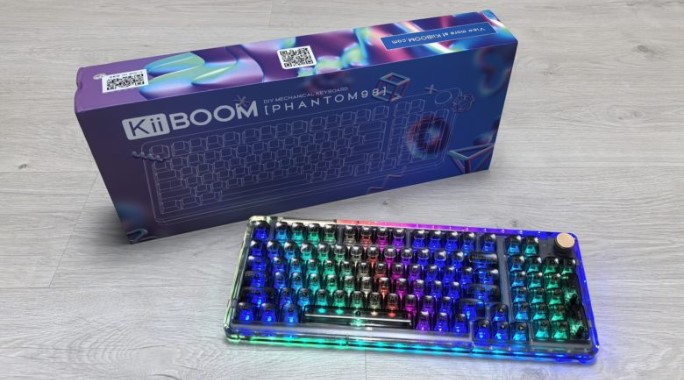
In this review, we’ll explore the KiiBOOM Phantom 98 full-size mechanical keyboard, which features transparent keycaps and an acrylic case, customizable RGB backlighting, hot-swappable switches, a capacious 8000 mAh battery, three connection options, and software support for device personalization.
Technical specifications
- Type: full-size mechanical keyboard
- Form factor: 100%
- Structure: classical
- Number of keys: 98 + roller
- Layout: ANSI (Latin characters only)
- Switches:
- White and black models: KiiBOOM Crystal Switch linear switches, polycarbonate housing, nylon stem, full travel 3.6 mm, travel to actuation 1.6 mm, initial force 55 g, actuation force 60 g
- Pink model: KiiBOOM Pink Rose Switch linear switches, polycarbonate body, polycarbonate stem, 3.8mm travel, 1.6mm travel, 38g initial force, 42g actuation force
- Purple model: KiiBOOM Jacaranda Switch linear switches, polycarbonate body, polycarbonate stem, 3.8mm travel, 1.6mm travel, 45g initial force, 55g actuation force
- Hot swappable switches: yes, 3 or 5 pin
- Compatibility: Windows, Mac OS
- Keycaps: acrylic, cherry profile, printing
- Anti-Ghosting: yes, NKRO
- Backlight: RGB, south-facing LEDs
- Multimedia: Multifunctional Fn
- Connectivity: USB-C, Bluetooth 5.0, 2.4 GHz radio
- Cable: 1.8 m
- Battery capacity: 8000 mAh
- Body material: acrylic
- Board material: polycarbonate
- Stabilization: Plate Mount
- Mounting type: Gasket Mount
- Sound insulation: yes, 3-layer (foam pad, PET film, silicone ring with a 30-degree slope)
- Dimensions: 395 x 150 x 35 mm
- Weight: 1635 grams
- Customization options: yes, proprietary software
- Color: black, white, pink, purple
Packaging and assembly
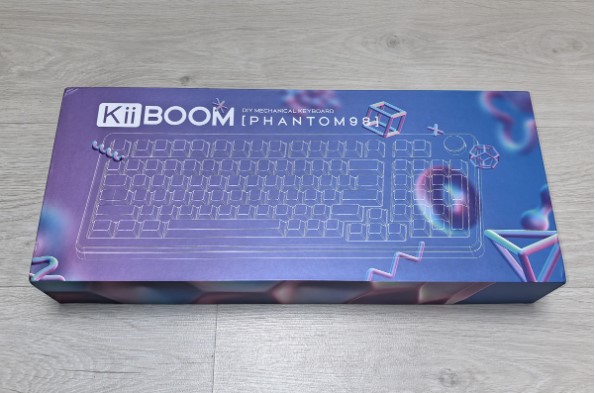
The KiiBOOM Phantom 98 keyboard comes in a purple and blue cardboard box with geometric patterns. The front features a schematic of the model and its name, while the back features a penguin illustration and technical information about the product.
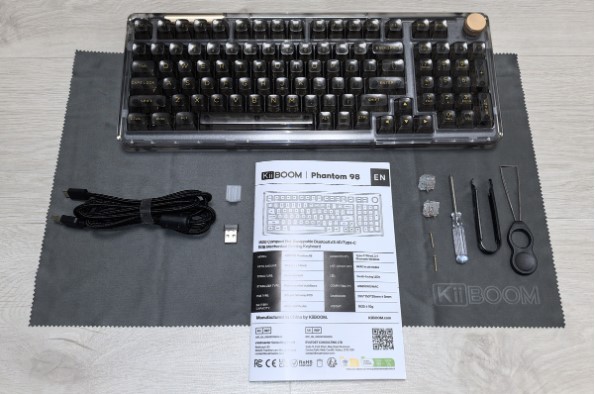
The device is secured inside the packaging with foam padding to prevent damage during transit. The package also includes a multilingual manual, a 1.8-meter braided USB-C to USB-A cable, a USB-A radio receiver with a cable holder, two spare case screws, pullers for removing switches and keycaps, a case opening screwdriver, a pair of spare switches (in our case, a KiiBOOM Crystal Switch), and a generously sized microfiber cloth.
Appearance
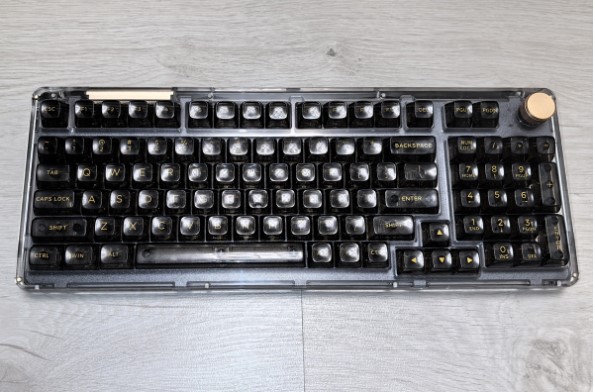
One of the distinctive features of the KiiBOOM Phantom 98 keyboard is its appearance and premium materials. The case and keycaps are made of acrylic, which not only looks great but also enhances the tactile and audio characteristics of the model. This also ensures excellent visibility of the backlight , transforming the device into a bright source of light. Our device is black, but white, pink, and purple versions are also available. It’s worth noting that the case and keycaps are actually transparent, allowing you to see all the components, but the shade of each version remains true to the stated color.
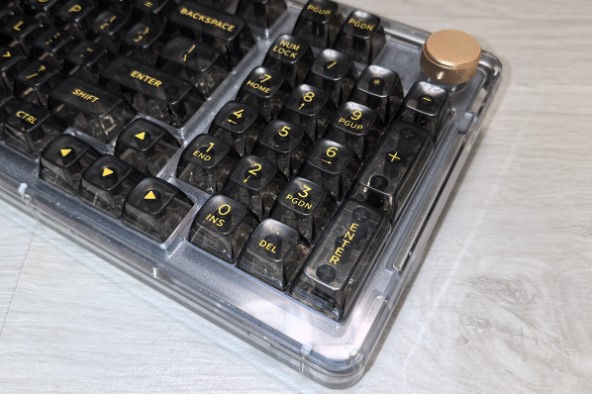
The KiiBOOM Phantom 98 is a full-size keyboard measuring 395 x 150 x 35 mm and weighing 1,635 grams. This means it has 98 keys, including function keys and a number row. It also features a gold-colored metal roller with a protective ring around the perimeter for volume control. It’s located in the upper right corner. To the left of it, a barely visible battery LED indicates whether the battery is charged (green), recharging (blinking green), or completely dead (red).
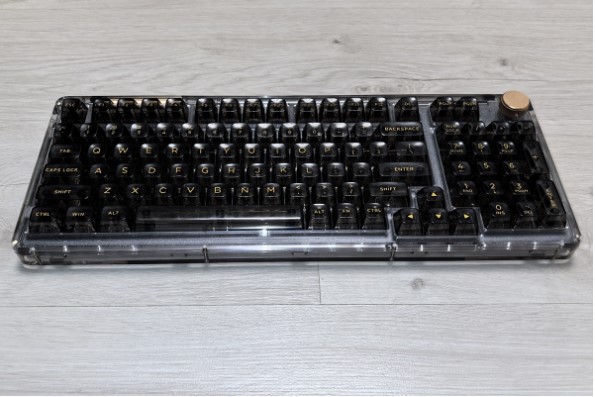
The model has a classic design, with standard key placement. They are designed with a Cherry profile, meaning they are shallow, have a neat recess for your fingertips, and the rows increase in height from the center to the top and bottom. Therefore, when viewed from the side, the center keys appear slightly recessed relative to the outer rows.
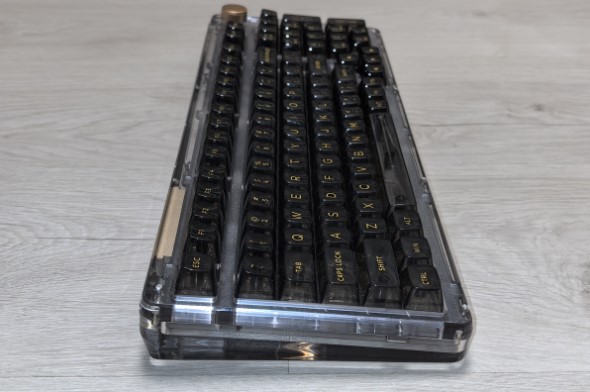
The layout is ANSI, and the font is Latin. The symbols are standard and printed in gold, making them easily readable both with and without backlighting . The method of printing is not specified, but it is clearly printed. However, in this case, they are part of the keycap and cannot be erased.
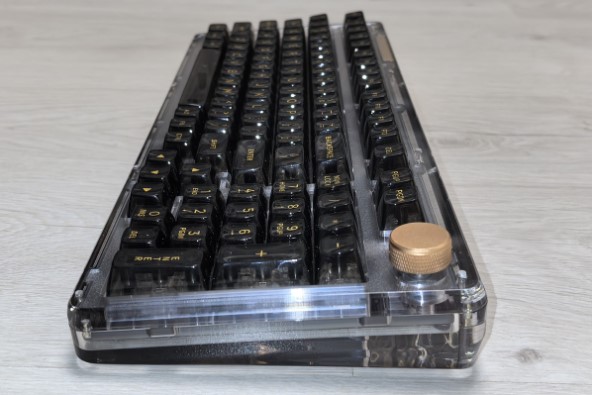
Speaking of backlighting, it features individual RGB LEDs for each key, located on the south side. This, coupled with the transparent casing, provides a beautiful, bright glow, as well as excellent character readability, as I mentioned above. Additionally, LEDs are located on all sides of the device and around the base, meaning the entire keyboard is illuminated. All of this is complemented by a variety of operating modes and the ability to customize the backlighting for each key individually. Overall, this model’s lighting is excellent.
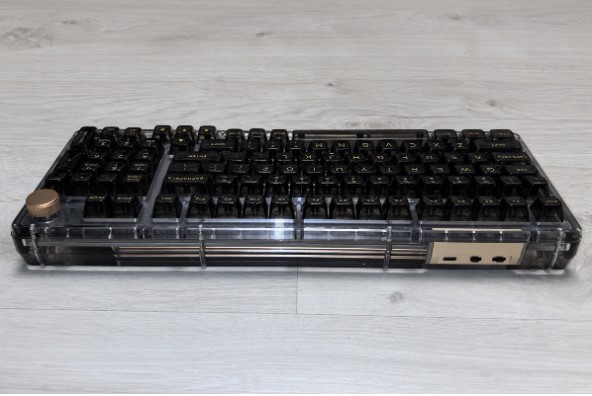
The back panel is equipped with a USB-C port for connecting a cable, a two-position switch for selecting Win or Mac mode, and a three-position switch for changing the connection method – 2.4 GHz, USB-C, or Bluetooth.
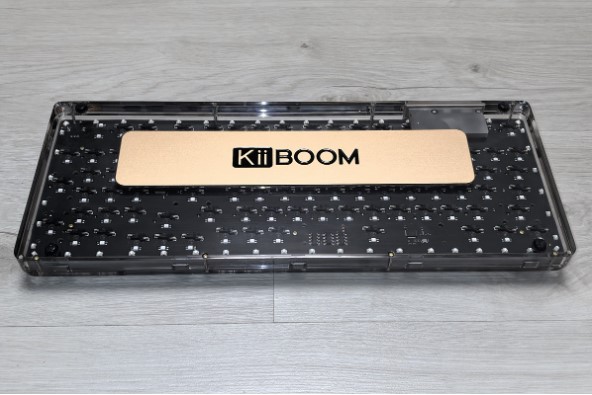
The keyboard base is equipped with four non-slip feet. While the tilt angle isn’t adjustable, the model is naturally slightly raised at the rear, making it comfortable to use. Furthermore, the bottom of the case features a gold metal plate bearing the company name. This plate, while adding weight to reduce vibration and improve stability, also serves a decorative purpose. Incidentally, among DIY enthusiasts, such a plate is considered a must-have for custom devices, including our heroine.
All of the above are complemented by eight screws, which, when removed, allow access to the device’s internals. This is useful for maintenance or customization , as it uses triple noise insulation, which can be modified by removing or adding layers to achieve a different sound.
Speaking of the internal design, it’s also worth noting that the board is made of slightly flexible polycarbonate, with a Gasket Mount and Plate Mount for stabilization. This means the board springs back slightly under your fingers when pressed, improving typing speed, extending the lifespan of the device, and enhancing the tactile experience.
Connection and setup
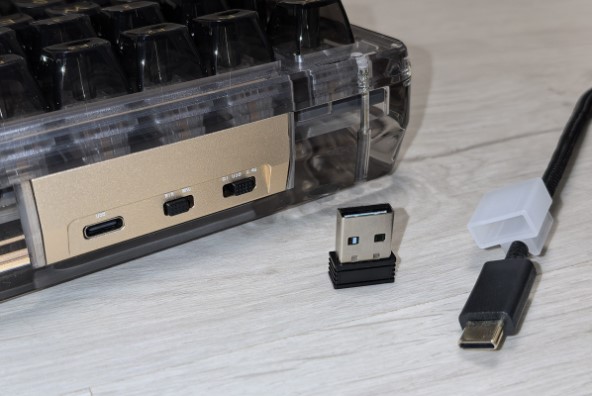
KiiBOOM Phantom 98 supports Windows and MacOS operating systems and has three connection methods:
- Wired – move the switch on the back to the center position and simply connect the keyboard to the PC with a cable, after which it will be immediately ready for use.
- Bluetooth 5.0 – move the slider to the right and press Fn+1, Fn+2, or Fn+3. Find the keyboard in the list of available devices and establish a connection. Bluetooth connectivity is possible with up to three devices at once, which can be selected using the Fn+1, Fn+2, or Fn+3 combination.
- 2.4 GHz radio channel – move the lever to the far left position, insert the receiver into the PC and press Fn+4 if the connection is not established automatically.
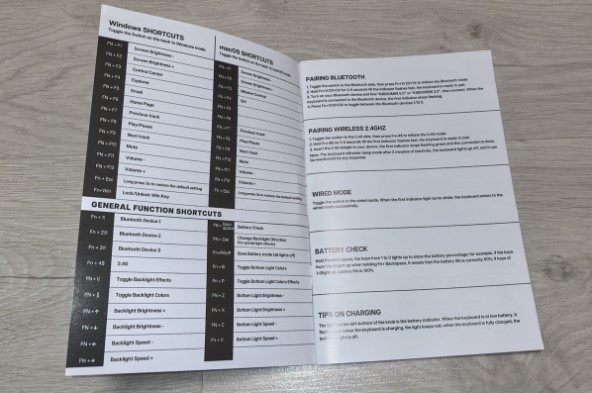
In addition to the aforementioned commands, the new device also supports other key combinations that can be used to control the backlight, perform office and multimedia functions, check the remaining battery level, and reset the device to factory settings.
The KiiBOOM Phantom 98 doesn’t require any drivers, but if you want more customization options, download the KiiBOOM Driver app from the “Downloads” section of the manufacturer’s official website . It’s not available in Russian, but even the English version is quite easy to use.
The application interface is divided into seven tabs:
- Main – in this section you can reassign the functions of the keys and roller, record macros and create key combinations, prohibit pressing unnecessary buttons, and also set the backlight activity time and sleep timer for wireless connection methods;
- FnSetting – here you can create commands for key combinations with Fn;
- Macro – a separate tab for recording macros;
- Light – menu for adjusting the backlight;
- Share – a tab with ready-made backlight presets and settings from KiiBOOM keyboard users. Here you can download working profiles from other users or share your own;
- My Account – login to your account to save settings in cloud storage;
- About – application settings and software updates.
Please note that the KiiBOOM Phantom 98 keyboard supports multiple profiles, meaning you can create the most convenient settings for different usage scenarios.
Impressions of use
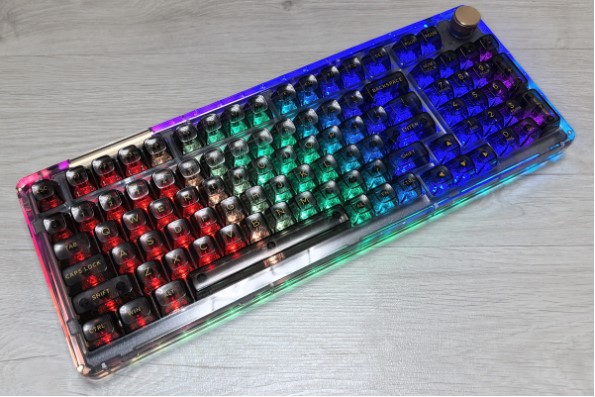
At first glance, the KiiBOOM Phantom 98 keyboard catches your eye with its design. While the transparent case isn’t exactly a novelty, it still looks impressive. And with the backlight turned on, you’ll be captivated by the device, thanks to its excellent design. Furthermore, it offers flexible settings, so its design is limited only by your imagination.
An attractive design is important, but excellent build quality and premium materials are also essential. The acrylic used to create the device offers a pleasant tactile sensation, enhanced by the comfortable Cherry-colored keycaps.
The acrylic also affected the model’s sound. The manufacturer claims that using this material together with three layers of sound insulation produced quiet, muffled clicks, which I personally found to be to my liking. If desired, you can experiment with the sound insulation layers to tailor the sound to your personal preferences. I chose not to, as, in my opinion, of all the devices I’ve used, this one offers the most pleasant and comfortable sound.
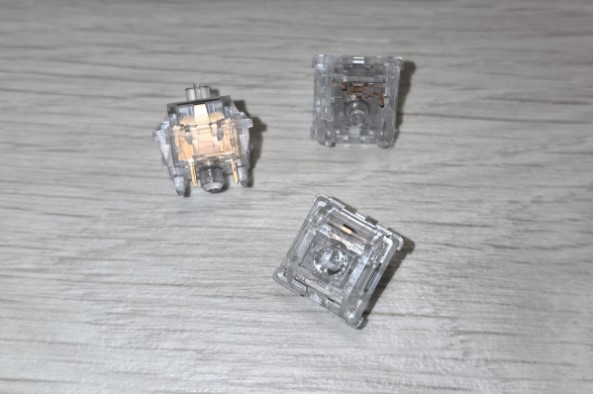
The switches installed in the device vary depending on the case color. The pink version uses the KiiBOOM Pink Rose Switch, while the purple version uses the KiiBOOM Jacaranda Switch. The white and black versions (like the one we reviewed) use the KiiBOOM Crystal Switch. All three switches are linear, but differ in material and parameters.
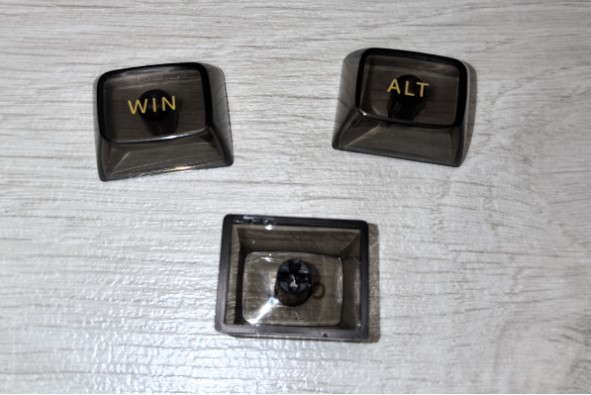
I won’t list the features of the Pink Rose Switch and Jacaranda Switch, as that information is in the “Technical Specifications” section. As for the Crystal Switch, its body is made of polycarbonate and its stem is made of nylon. This combination increases its lifespan. Its full stroke is 3.6 mm, and its actuation travel is 1.6 mm. The initial force is 55 grams, and the actuation force is 60 grams.
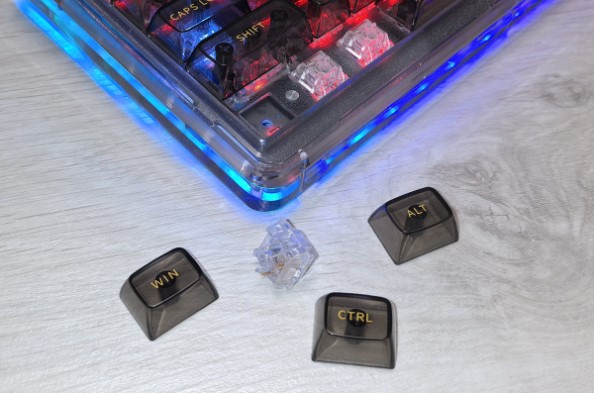
There’s no tactile or audible feedback when the key is pressed, meaning you’ll hear a click and feel a recoil when the key hits the board. Typing with these switches is very comfortable, and in games, they’re highly responsive and precise. However, depending on your typing habits, you may find the tactile feedback at the actuation point lacking. However, you can get used to it. If this type of control isn’t your thing, the switches are hot-swappable for 3- and 5-pin models.
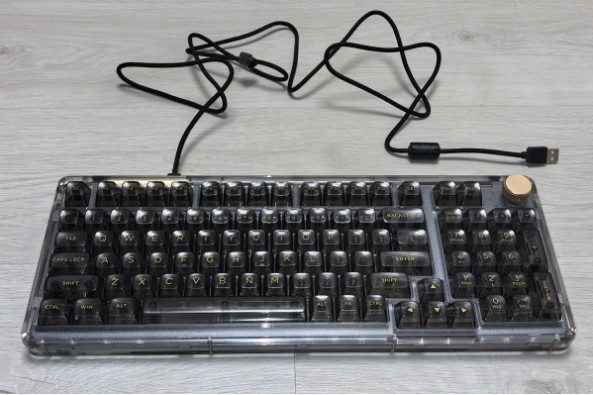
Let me remind you that you can also change keycaps and play around with soundproofing layers, which is why the KiiBOOM Phantom 98 offers excellent customization options, allowing you to tailor it to your needs.
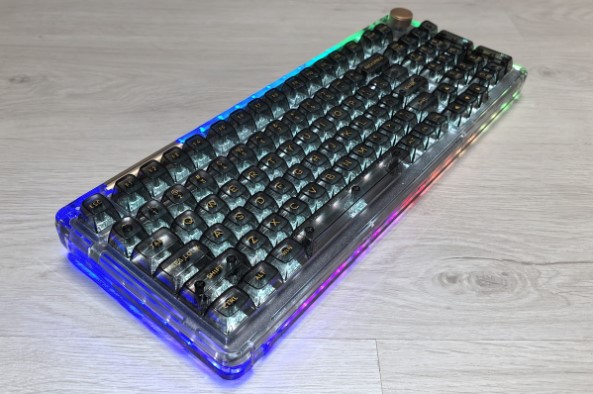
The 8000 mAh battery, or more precisely, two 4000 mAh batteries, provides long battery life. In my case, the keyboard runs for about 9-10 hours a day with the key and case backlighting enabled at maximum brightness. In this mode, the battery lasts for two weeks, which I consider very good. Deactivating the backlight significantly increases battery life.
Conclusion
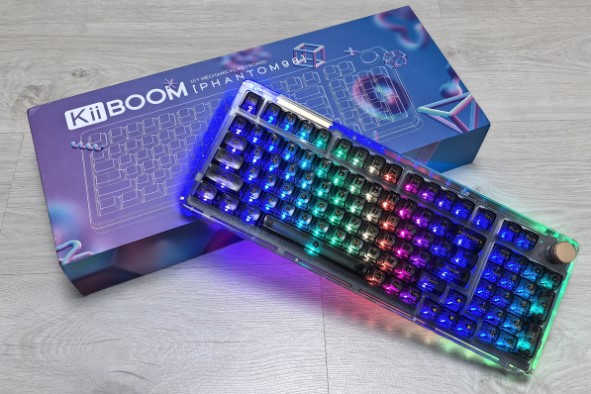
The KiiBOOM Phantom 98 is an attractive and beautiful keyboard that will surely grace your desk . However, its advantages don’t stop there: in addition to its impressive appearance, it offers premium materials, excellent build quality, a pleasant tactile feel, fast and precise switches, convenient keycaps, original sound, user-friendly software for flexible settings, long battery life, three connection methods, and support for five devices simultaneously. Furthermore, the model offers extensive customization options, allowing you to create the perfect device for your specific needs. As a reminder, our hero is a full-size device with a numeric keypad, which isn’t always needed for gaming, but is essential for work.
The KiiBOOM Phantom 98 has no downsides, and the only reason to avoid it is the price of approximately 15,000 rubles. However, this is entirely justified, so complaining about it isn’t entirely fair.
- Premium materials
- Excellent build
- Spectacular design
- Vibrant RGB lighting with extensive customization options
- Convenient software for setup
- Three ways to connect to five devices simultaneously
- Comfortable keycaps
- Precise and responsive switches
- Nice sound
- Long battery life
- Good customization options
- The price is high, but it is justified.







