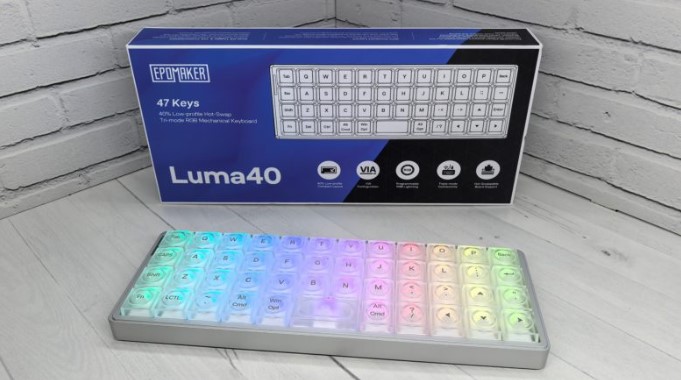
EPOMAKER, known for its experimental keyboard designs, has unveiled its new Luma40 model, featuring an extremely compact 40% form factor, making it ideal for on-the-go computing. Additionally, the device features an orthogonal layout, low-profile Kailh White Rain hot-swappable switches, RGB backlighting with individual LEDs for each key, transparent keycaps for improved light transmission, and three ways to connect to up to five devices simultaneously. The EPOMAKER Luma40 offers many more features, but we’ll cover them in more detail below.
Technical specifications
- Type: mechanical keyboard
- Form factor: 40%
- Structure: classical
- Number of keys: 47
- Layout: orthogonal (ortholinear)
- Switches: Kailh White Rain, linear, factory lubricated, low-profile, initial force – 50g, actuation force – 60g, travel – 1.2mm, total travel – 2.2mm, body material – POM plastic, stem material – POM plastic
- Hot swappable switches: yes
- Keycaps: low-profile LAK, transparent PC plastic, silkscreen printing
- Backlight: RGB, north-facing LEDs
- Supported OS: Windows, Android
- Anti-Ghosting: yes, NKRO
- Battery capacity: 1450 mAh
- Battery life: 7 hours with backlight , 75 hours without it
- Connectivity: USB-C, 2.4 GHz radio, Bluetooth 5.0
- Cable: USB-C to USB-A cable, 1.8 meters
- Polling rate: 1000 Hz via wired or wireless connection, 125 Hz via Bluetooth connection
- Latency: 3 ms (USB-C), 5 ms (radio), 15 ms (Bluetooth)
- Body material: CNC machined aluminum
- Board material: PC plastic (polycarbonate)
- Flex-cut and stabilization: no
- Mounting design: Tray-Mount
- Soundproofing: yes, foam
- Dimensions: 240 x 87 x 20.8 mm
- Weight: 410 grams
- Customization options: yes, VIA
- Color: white
Packaging and assembly
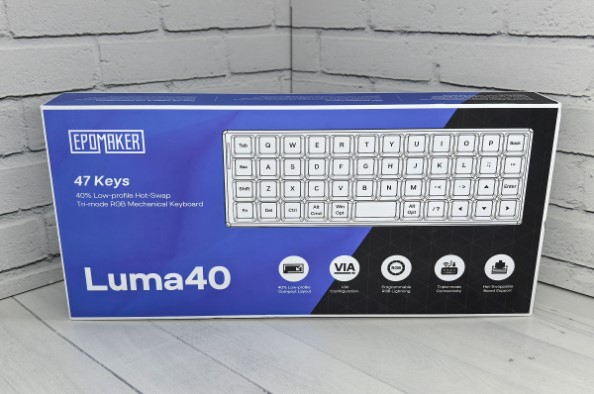
The EPOMAKER Luma40 comes in a small black and blue cardboard box. The front features an image of the device, its name, and a list of key features, while the back provides technical information about the product.
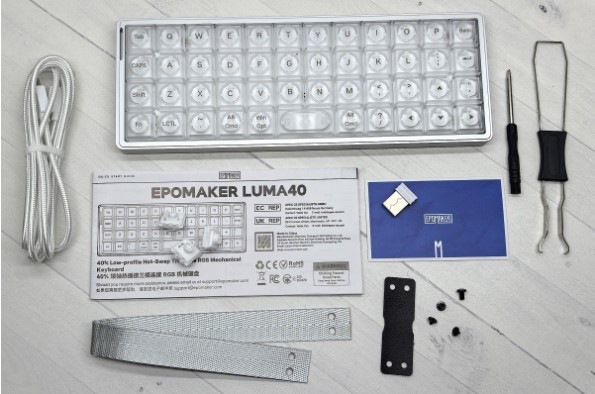
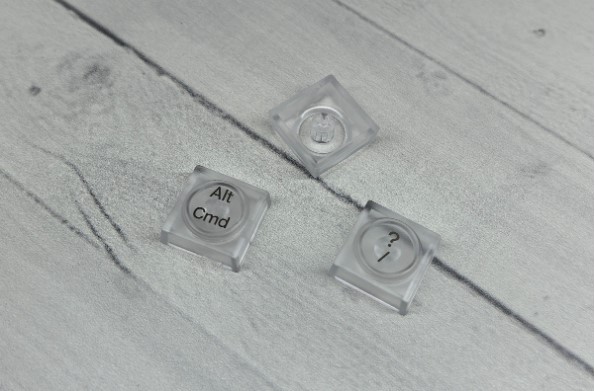
Inside the package, the keyboard is placed in a translucent bag and secured with foam molds. Included are a 1.8-meter USB-A to USB-C cable with fabric braiding, a USB-A adapter for wireless connectivity, three replacement Kailh White Rain switches, a keycap and keycap removal tool, a wrist strap and screws for attaching it, a screwdriver, instructions, and a receipt with QR codes linking to setup software and an electronic manual.
Appearance
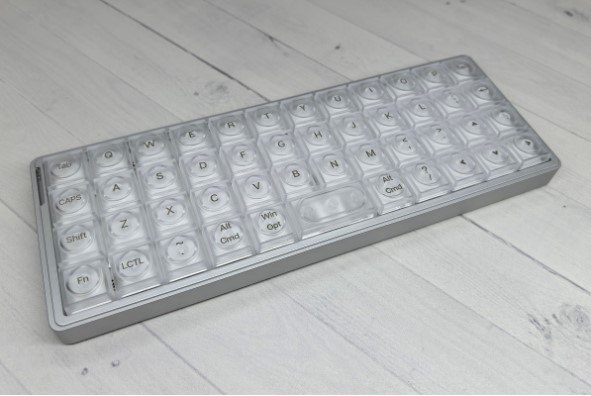
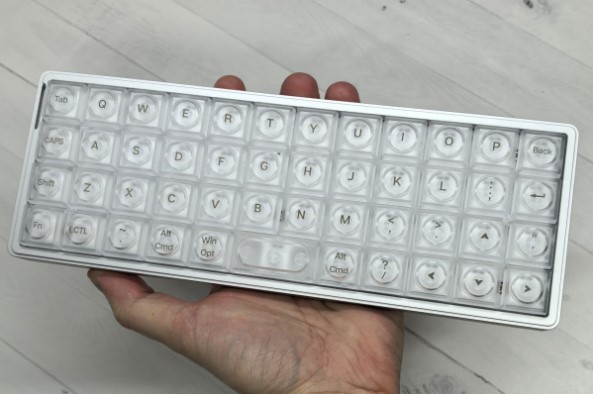
The EPOMAKER Luma40 features a 40% form factor. This makes it a very small and lightweight device, measuring 240 x 87 x 20.8 mm and weighing 410 g. So, if you’re looking for a truly compact device to save space on your desk or for travel, you’ll definitely like this model.
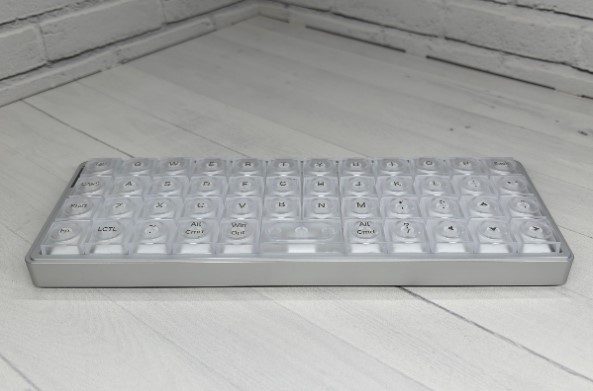
The case is made of CNC-machined aluminum, and the circuit board is made of polycarbonate (PC plastic). The circuit board uses a tray-mount mounting method, meaning it’s attached directly to the case. To prevent this from causing unpleasant noise, a foam pad is placed inside for noise insulation.
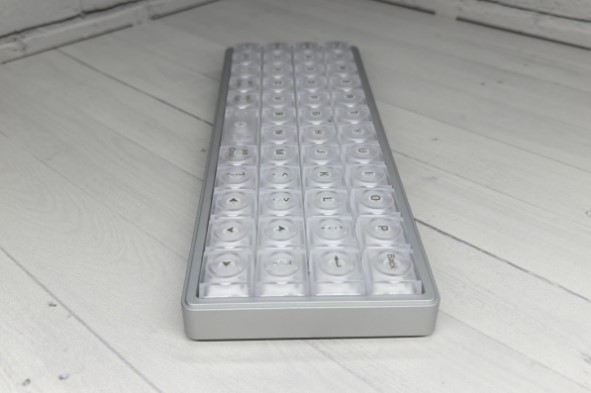
The symbols on the caps are silkscreened, which is aesthetically pleasing but not very practical, as they will wear off over time, even if it’s long. The alphabet is Latin only, but it has a classic script, which is convenient.
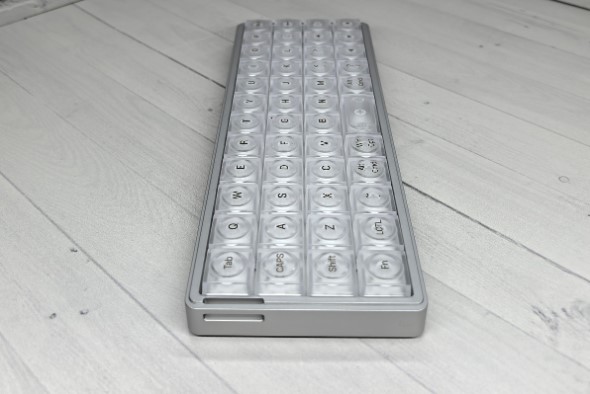
The 40% form factor means a minimal set of keys, which in this case are 47. Therefore, there are no numeric or multimedia keys. The convenience of this solution depends entirely on the owner’s preference . However, this is the price of compact dimensions.
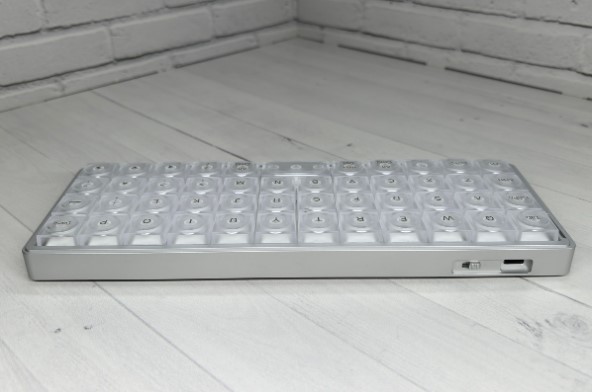
Besides the extremely small number of keys, the new model also surprises with its layout. In this case, it’s orthogonal (ortholinear), meaning the keys are arranged in strict vertical and horizontal rows rather than a checkerboard pattern. This ensures a more comfortable wrist position and, consequently, less strain, but this layout requires abandoning old skills to develop new ones.
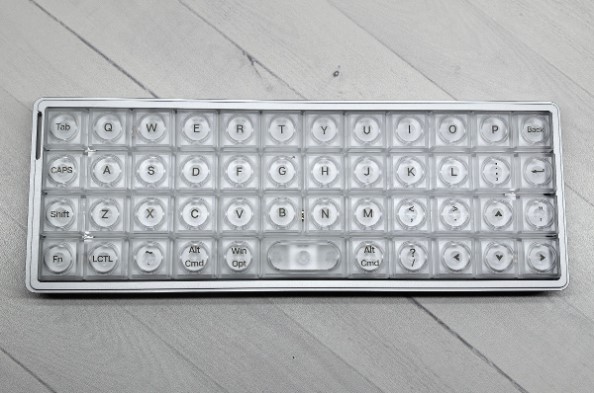
The keycaps are made of the same PC plastic, but now translucent, ensuring excellent visibility of the RGB backlighting. They adhere to a low LAK profile, which is also characterized by the uniform size of all keys. The only exception is the spacebar, which is the same height but twice as wide as the other keys. This allows all the keys to be rearranged and remapped via software to achieve any desired configuration. Furthermore, the keycaps used here have a flat top, meaning they are the same height on all sides, but have a recessed area in the center for your fingertips.
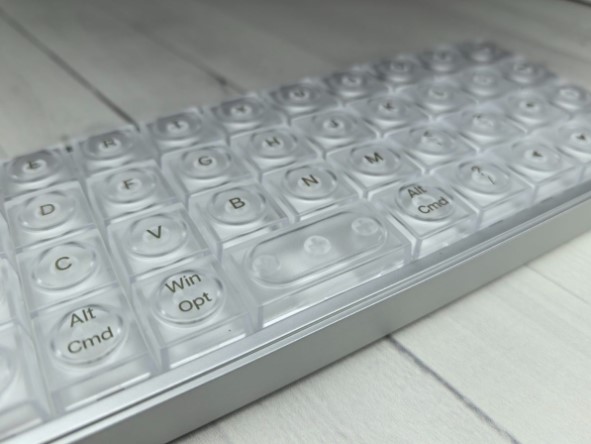
The front and right edges are unused. There’s a slot on the top left for attaching the included wrist strap, allowing you to wear the keyboard on your wrist. The back features a USB-C port and a two-position switch for wired or wireless connectivity.
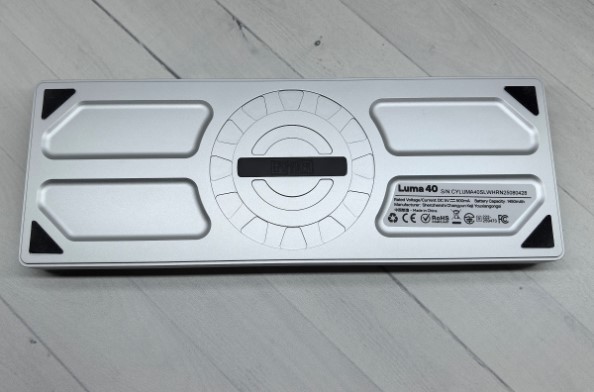
The base features decorative indentations of varying shapes and five rubberized feet (two on the right and left, and one in the center). A sticker with technical information about the product is also included. The tilt angle cannot be adjusted; furthermore, the height of the cabinet is the same on all sides, which can be unusual and inconvenient.
Connection and setup
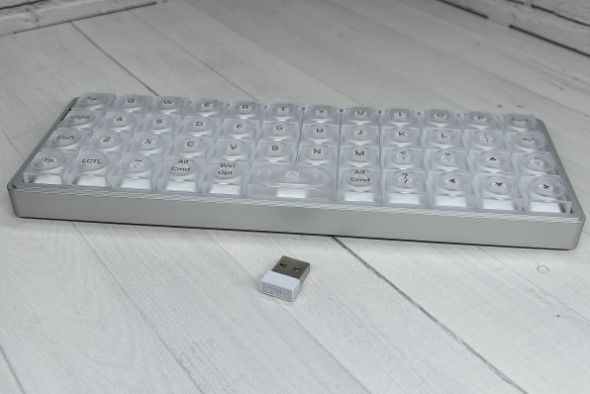
EPOMAKER Luma40 supports Windows, MacOS and Android operating systems and offers three connection methods:
- Wired – move the slider to the right position and connect the keyboard to the PC with a cable, after which it will be immediately ready for use.
- Bluetooth 5.0 – move the switch to the left and press Fn+Q, Fn+W, or Fn+E. Then, find the keyboard in the list of available devices and connect. Bluetooth connectivity is possible with up to three devices at once; you can switch between them using Fn+Q, Fn+W, or Fn+E.
- 2.4 GHz radio channel – move the slider to the left position, insert the adapter into the computer and press Fn+R if the connection is not established automatically.
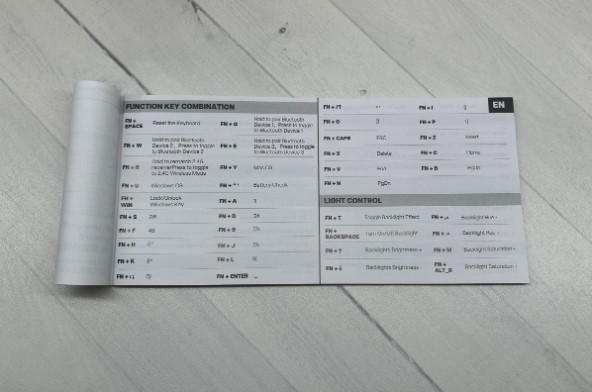
The above-mentioned commands aren’t the only ones; the model also supports other combinations for controlling the backlight , checking the remaining battery capacity, switching between Win and Mac modes, and performing actions on missing buttons (numbers, symbols !, @, #, $, %, ^, &, *, (, ), _, +, {, }, [, ], , |, as well as ESC, Delete, End, PgUp, PgDn, Insert, and Home). All of them are listed in the manual, so I won’t list them here. There are, of course, many combinations, but over time you can memorize them, which will allow you to compensate for some of the missing buttons if you need them.
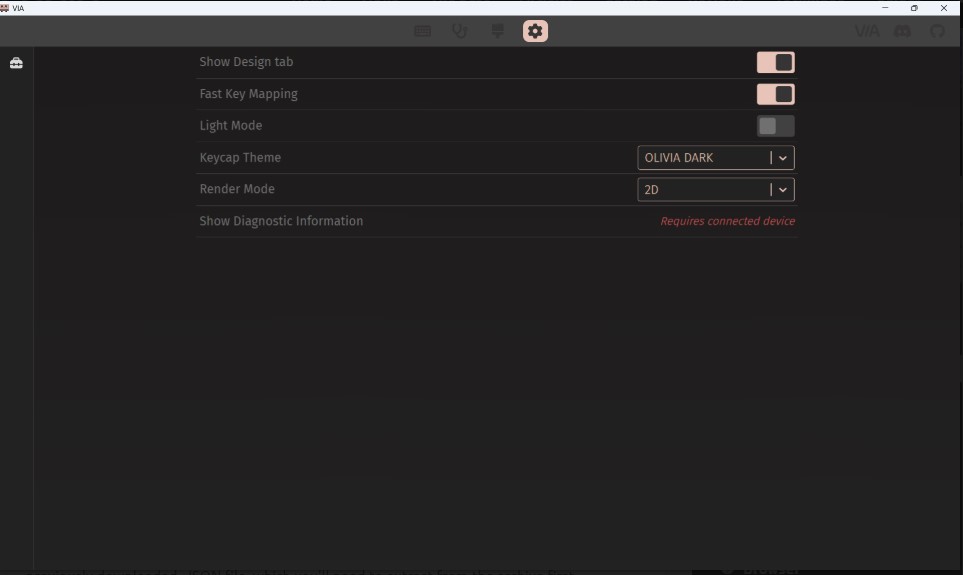
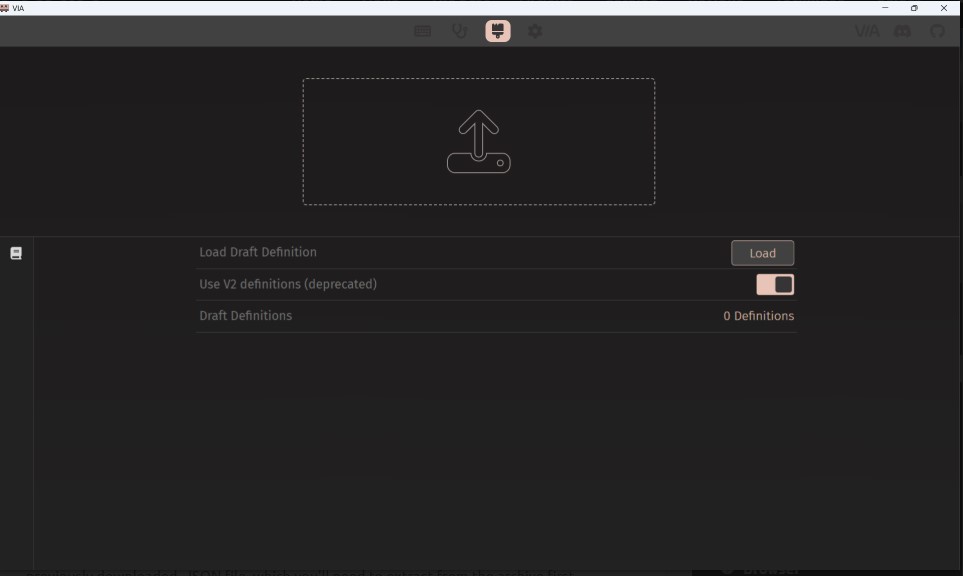
The EPOMAKER Luma40 doesn’t require driver installation, but it can be configured using the VIA app, which you can download here . You’ll also need a .JSON file, which you can find here .
After installing the utility, connect the keyboard to the PC using a cable and click the “Show Design tab” button in the Settings section. Another “Design” tab will appear, in which you should find the “Load Draft Definition” and “USE V2 Definition (deprecated)” settings. In the latter, toggle the slider to “Off,” and in the former, click the “Load” button and load the previously downloaded .JSON file, which you’ll need to extract from the archive first.
After this, the app will “recognize” the keyboard, and you can begin customizing it. I won’t go into detail about all the steps, as that information is available in our previous reviews of EPOMAKER keyboards. Let me just remind you that the app offers a wealth of features. Specifically, you can reassign all keys, create multiple profiles and layers, program macros, fine-tune the backlighting, and more.
Backlight
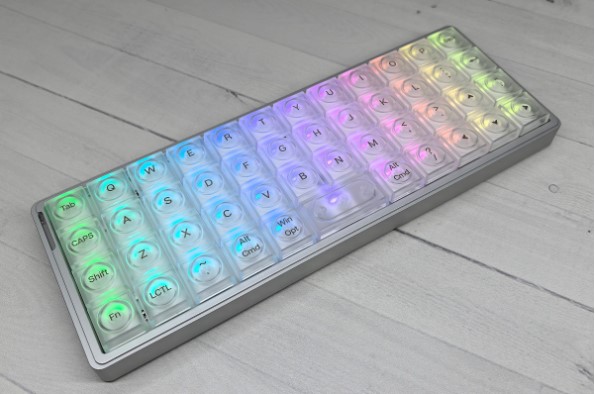
The EPOMAKER Luma40 keyboard’s backlighting is exquisite. Each key is equipped with its own RGB LED, located on the north side, or top. Transparent keycaps make it highly visible, so the entire surface glows beautifully when you type.
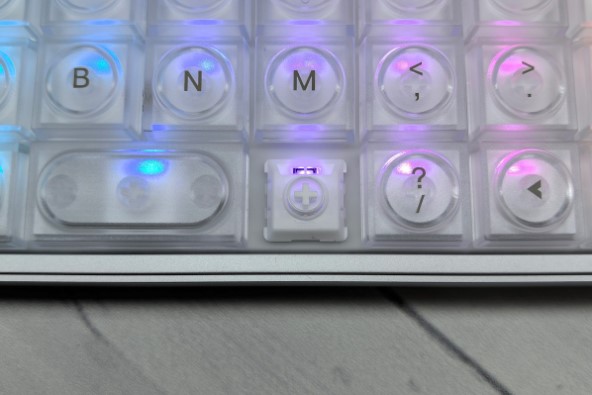
You can control the backlight using key combinations, allowing you to change its mode, brightness, direction, and speed. You can also fine-tune it in the app. In the latter case, you can adjust the illumination of each button, creating any effect you want. The only limitation here is your imagination.
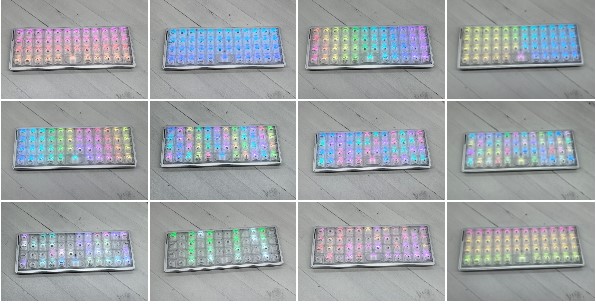
Besides the backlight being very bright, the manufacturer has taken a responsible approach to its operating modes. I counted 35 effects before I lost count, including single-color and multi-color, dynamic and static options. Furthermore, the model boasts 15 brightness levels, allowing you to find the most comfortable setting.
Impressions of use
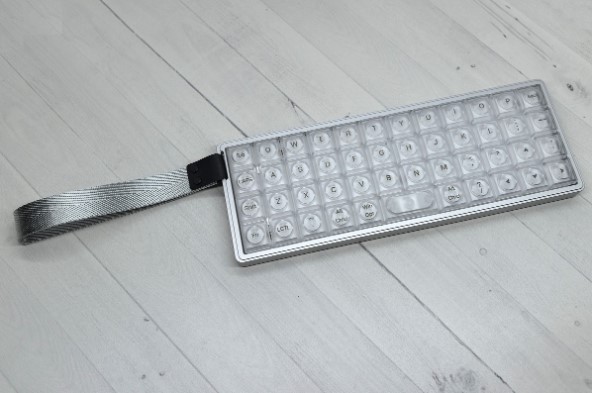
The EPOMAKER Luma40 captivates with its aesthetics and minimalism at first glance, and then enhances the experience with a very bright and beautiful backlight, which by default has a ton of original modes and, in addition, allows you to create your own.
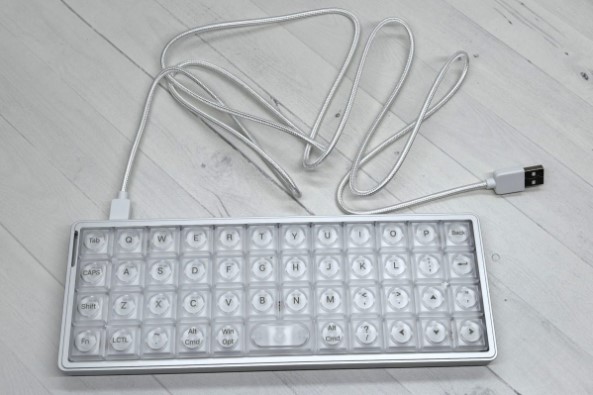
Additionally, the model boasts high-quality build quality, premium materials, convenient keycaps, compact size, light weight, three ways to connect to five devices simultaneously, and functional setup software.
The only controversial aspects are its minimal number of keys (on the one hand, it’s not very comfortable, but on the other, this is what allowed it to be so small), the lack of any tilt, and the non-standard ortholinear layout, which forces you to abandon your previous experience with conventional keyboards in order to gain a new one. However, as a compensation, you get a more natural wrist position, which will reduce fatigue and increase typing speed.
The polling rate is 125 Hz in Bluetooth mode and 1000 Hz when connected via a wired or wireless connection. Latency, meanwhile, is 3 ms for a cable, 5 ms for a wireless adapter, and 15 ms for Bluetooth. These aren’t record-breaking figures, but the headset isn’t marketed as a gaming device, so it’s unfair to nitpick. Besides, gaming is generally possible in wired or wireless mode.
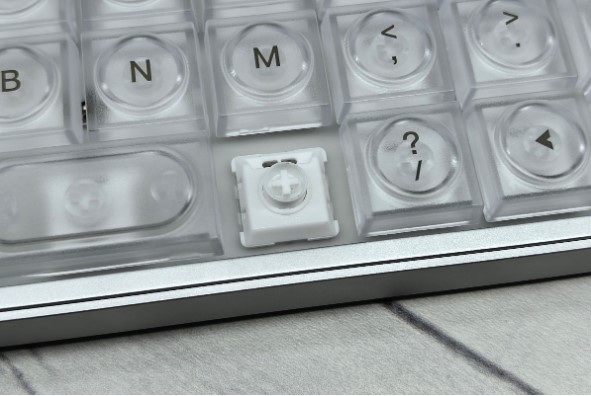
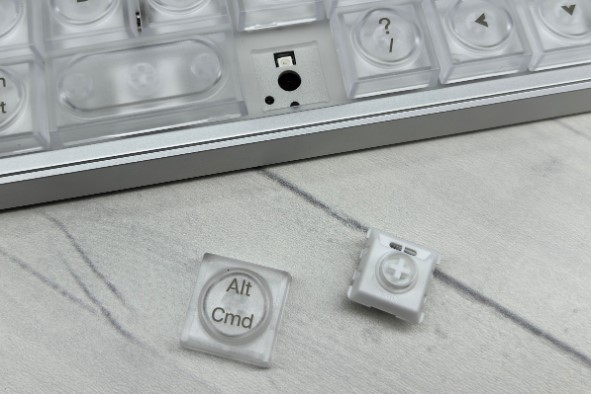
The switches are Kailh White Rain linear switches with a low profile, 50g initial force, 60g actuation force, 2.2mm of travel, and 1.2mm of actuation travel. The body and stem are made of POM plastic and are factory-lubricated. They provide a pleasant typing experience, with a light actuation force and very fast actuation.
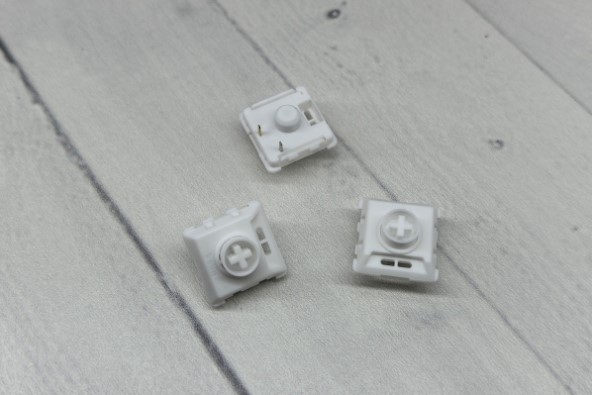
Besides, their sound isn’t particularly loud or pleasant. Being linear, they lack tactile or audible feedback, which can be a bit awkward for gaming, but as I mentioned earlier, this isn’t a gaming model, and you can get used to it. The switches are hot-swappable, so you can swap them out for any compatible ones if you like.
As a reminder, the board is mounted using a tray-mount, meaning it’s attached directly to the case, which can cause unwanted noise. To prevent this, the manufacturer added a layer of foam for noise insulation. Furthermore, the board doesn’t support Flex-cut, meaning it doesn’t feel smooth under your fingers. Whether this is a plus or a minus is up to you, as some users prefer the smooth feel of Flex-cut models, while others prefer the firmness of non-Flex-cut models. Another peculiarity is the lack of any stabilizers, which aren’t particularly necessary, as there’s only one relatively large key (the Spacebar).
The new model’s battery capacity is 1450 mAh. With backlighting enabled, it lasts for 7 hours of continuous use, and without it, 75 hours. These figures seem modest, but considering the keyboard’s very small size, this becomes understandable.
Conclusion
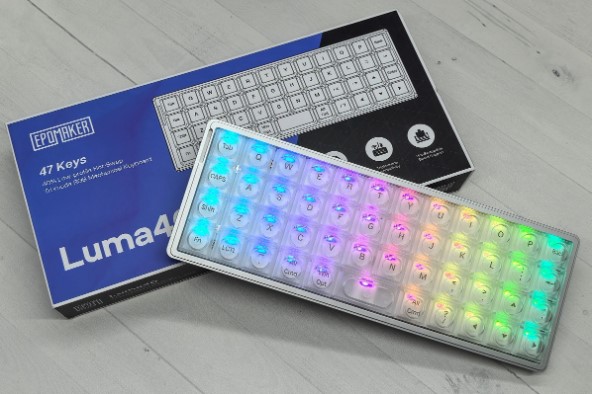
The EPOMAKER Luma40 is a very unusual keyboard that will require you to put in the effort to learn how to use it comfortably.
The reason for this is the unusual orthogonal layout, which, while considered more natural for the hands, requires a retraining process after traditional keyboards, as it’s quite challenging to start typing quickly right away. The same applies to the tilt angle—you get used to it over time, but it can be uncomfortable at first. The same can be said about the missing keys, which, although partially compensated for by other key combinations, still require some memorization.
If you do decide to purchase it and get used to all the features mentioned above, you’ll get a very compact and lightweight device with stunning backlighting, convenient low-profile keycaps, responsive and precise switches, pleasant sound, three ways to connect to five devices simultaneously, functional setup software, and decent battery life for such a tiny device.
Ultimately, the EPOMAKER Luma40 is a keyboard for select and sophisticated users looking for something extremely compact for travel or wanting to try something new. It’s also ideal for enthusiasts who actively use layers, love macros, and are generally willing to customize everything to suit their personal tastes, perhaps in the most unconventional ways.
- Aesthetic design
- Miniature size and weight
- Good materials of execution
- High build quality
- Functional software for configuration
- Three connection methods
- Support for five devices simultaneously
- Bright and beautiful backlighting with wide customization options
- Comfortable keycaps
- Fast, precise and responsive switches
- Quiet and pleasant sound
- Good battery life considering the size of the model
- The orthogonal layout provides excellent customization options
- The orthogonal layout requires learning how to use the keyboard from scratch.
- The lack of tilt angle takes some getting used to
- Modest battery life by keyboard standards in general
- The minimal number of keys forces you to keep combinations in memory to compensate for them







