
Judging by the first game, it never saw any major Skyrim-style mods, adding entirely new locations and hundreds of hours of storyline. However, that doesn’t mean nothing similar will be coming to Outer Worlds 2. There are already plenty of mods that can transform the gameplay, role-playing system, and even the game’s technical parameters, making this RPG about traveling to the outer reaches of space even more fantastical.
Optimized Tweaks
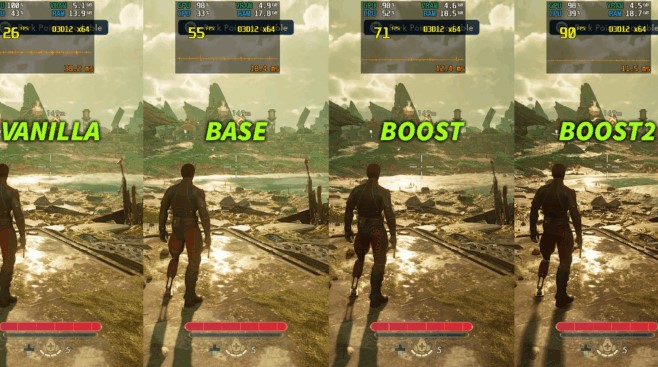
There’s usually little point in recommending performance-boosting modifications for new games, as their impact is often quite minor, and the developers themselves fix most technical issues with patches. Optimized Tweaks, however, are a different matter.
If you’re experiencing significant slowdowns in Outer Worlds 2, we recommend this mod , which was created to address various issues related to the specifics of Unreal Engine 5 .
Optimized Tweaks also contains separate files that allow you to reduce advanced graphics settings in favor of performance, thereby doubling the frame rate even on very modest gaming devices, including the Steam Deck .
RenoDX HDR Fix
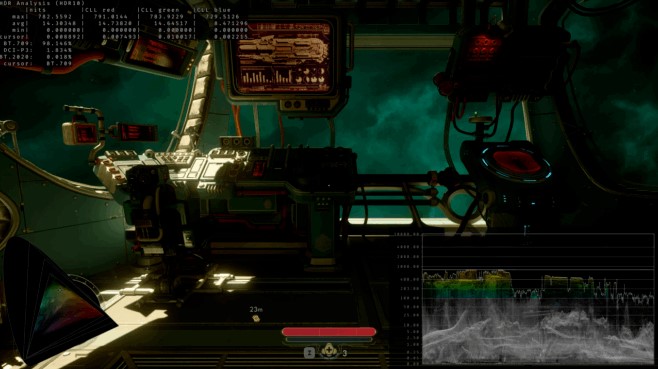
But if you, on the contrary, are the proud owner of a powerful PC with a top-end gaming monitor , then it makes sense to try this mod.
While The Outer Worlds 2 allows you to tweak some of the graphics’ high dynamic range settings, RenoDX HDR Fix gives you complete control over all the important variables.
Don’t worry, you don’t have to change anything manually if you don’t want to, as the mod’s default configuration produces a better picture than the base game.
Character Editor
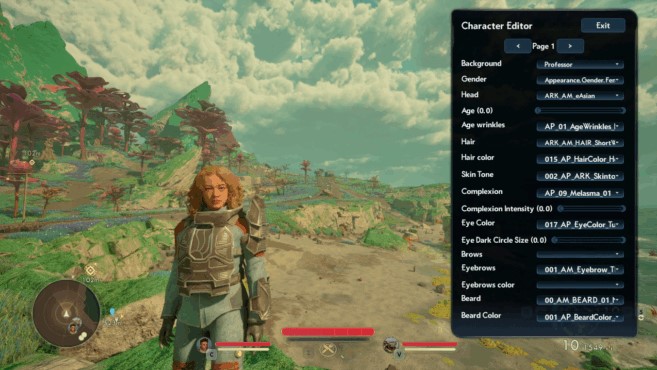
As you may have already noticed, you can’t re-spend skill points in The Outer Worlds 2 , as the developers decided that players should finally take responsibility for their decisions and actions. However, this isn’t real life, and you don’t have to suffer for your mistakes throughout your entire playthrough.
Using the Character Editor mod, you can change not only your skills and perks on the fly , but also your character itself. If you suddenly decide to change your hairstyle or even create a new main character mid-game, simply open the editor menu and make any changes at any time.
Better Companions
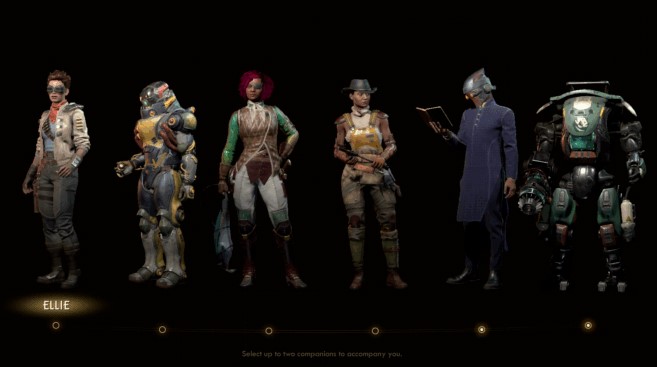
But what if you’re completely happy with your own character, but not everyone else? The answer is simple: install Better Companions.
This mod makes companions in Outer Worlds 2 much more useful, improving their effectiveness and survivability in combat by increasing their health and damage, as well as reducing ability cooldowns by 2 or 3 times, depending on the parameter.
More Skill Points / More Perk Points
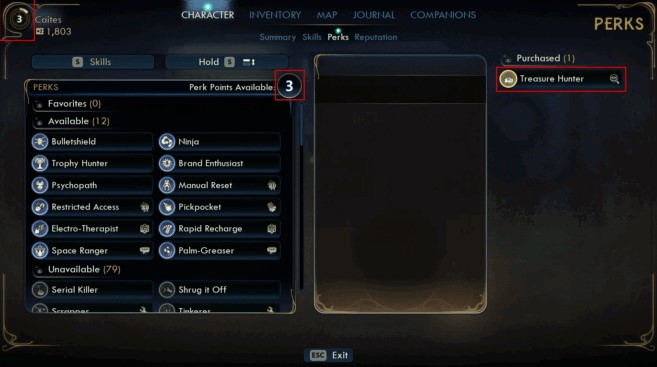
The best part of any RPG is leveling up, when you gain new abilities and skills that make you stronger. But to do so, you’ll need to complete The Outer Worlds 2’s entire questline to earn the necessary experience points. Alternatively, you can simply install these two mods and customize the leveling process to your liking.
More Skill Points and More Perk Points do exactly what the name suggests—they grant you more skill points and perks for each level you gain, greatly expanding your character’s capabilities from the very start of the game and allowing for dialogue and action options that even the developers themselves didn’t intend.
More Skill Points More Perk Points
Map Tweaks
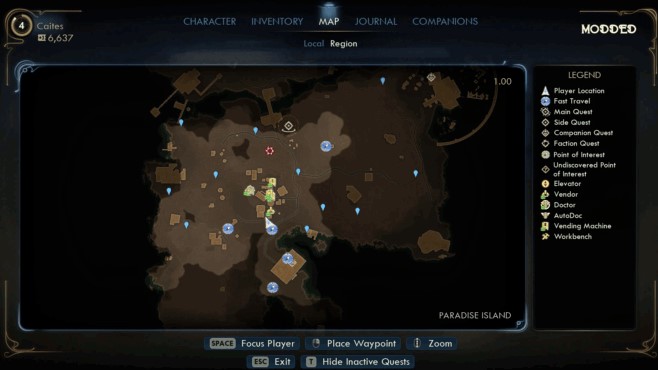
While this design decision might have seemed appropriate in older strategy games like Warcraft, when you’re playing a space RPG set in the distant, high-tech future , having hidden areas of the map seems completely unacceptable.
The Maps Tweaks mod removes the fog of war effect, allowing you to immediately assess the scale of a location and pre-plan a route to the most important points of interest, eliminating hours of pointless running around.
Near 3rd Person Camera Overhaul
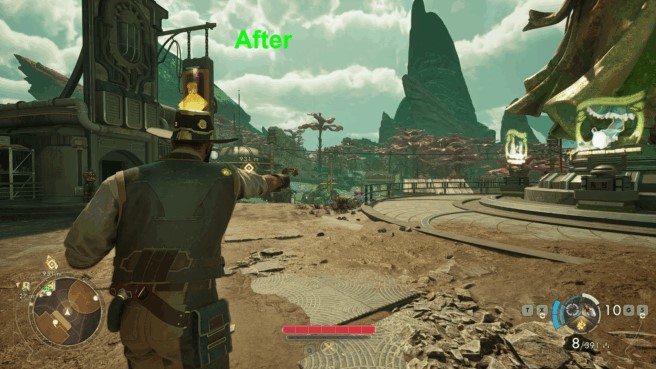
The default camera angle in Outer Worlds 2 seems a bit off, sometimes making it difficult to navigate. It would be much better if we could customize this setting. Until the developers address this issue, you can use the Near 3rd Person Camera Overhaul mod.
With the exception of some issues when using certain melee weapons, this mod greatly improves the camera placement and behavior, making it more similar to traditional third-person action games .
FreeCam and Teleport
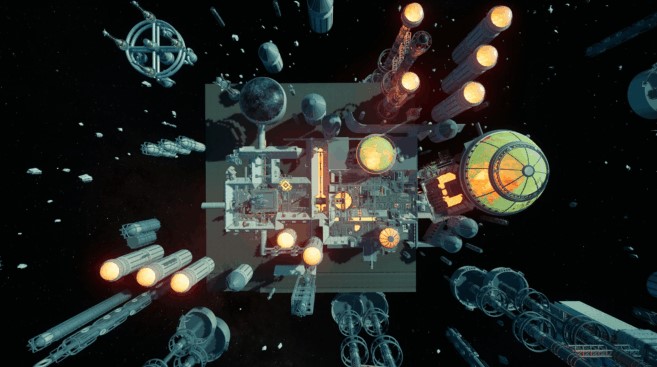
But if you want to take a look at the Outer Worlds 2 universe without any restrictions, then install FreeCam and Teleport.
In fact, this isn’t even a camera modification, but rather a kind of analogue of the noclip console command, which turns your character into a disembodied spirit, capable of flying freely around the location.
Decide for yourself whether to use this superpower for cool screenshots or cheating. Speaking of which.
Console Enabler
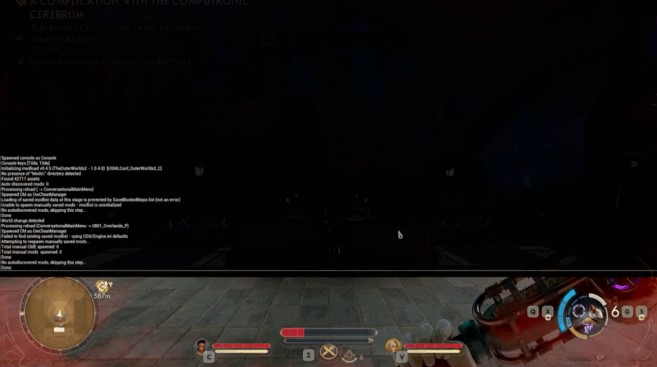
This offer is for those who don’t like to play by the rules.
This mod allows you to use the in-game console of The Outer Worlds 2, opening access to the developer tools.
When Console Enabler is active, all you need to do is press the tilde key (aka Ё) to open the console, after which you can use various text commands and cheats. At your own risk, of course.
Player Tweaks
I should probably recommend this mod first, since it essentially replaces several previous ones, but then you’d immediately stop reading this article—it’s that good.
Player Tweaks gives you access to a huge range of gameplay settings in Outer Worlds 2, including fog of war, field of view, skills, movement speed, and small things like backlight and flashlight brightness.
Based on materials from www.pcgamesn.com







