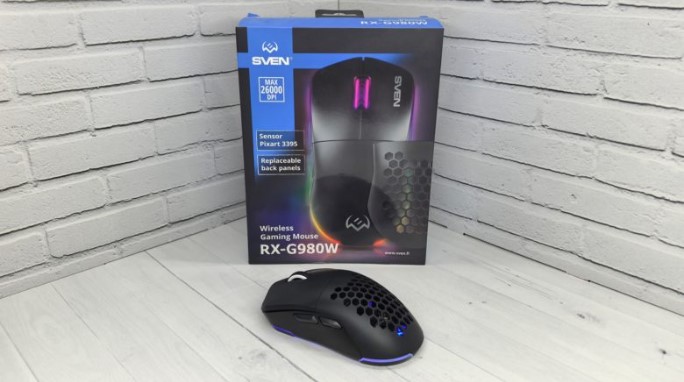
In this review, we’ll introduce the SVEN RX-G980W gaming mouse. Priced at less than a thousand rubles, it offers a top-of-the-line Pixart 3395 sensor with up to 26,000 DPI, Huano switches with a 50 million-click lifespan, software support for customization, two connection options, a 600 mAh battery, RGB lighting, and the ability to customize with removable panels. Its advantages don’t stop there, but we’ll cover them in more detail below.
Technical specifications
- Type: gaming mouse
- Shape: symmetrical
- Number of buttons: 6+1
- Sensor: optical, Pixart 3395
- Maximum resolution: 50 – 26000 dpi
- Polling rate: up to 1000 Hz
- Backlight: yes, RGB
- Switches: Huano
- Switch lifespan : 50 million clicks
- Configuration software: yes
- Connection: wired USB-C, wireless 2.4 GHz
- Cable length: 1.8 meters
- Battery capacity: 600 mAh
- Body material: plastic
- Dimensions (W x H x D): 125 x 64 x 40 mm
- Weight: 95 g
- Color: white, black
Packaging and assembly
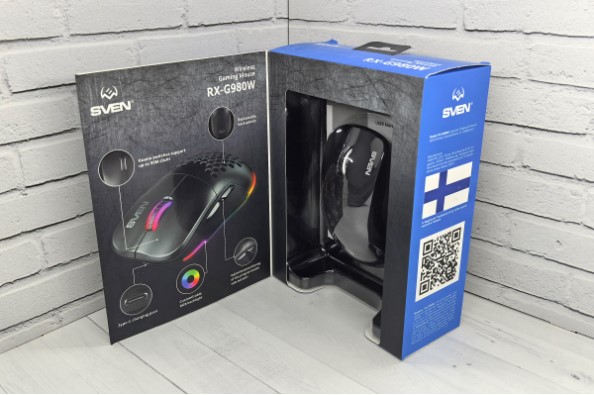
The SVEN RX-G980W comes in a rectangular cardboard box painted in the brand’s signature blue and black color scheme. The front of the box features a hinged lid with a small window underneath, allowing you to try out the mouse before purchasing.
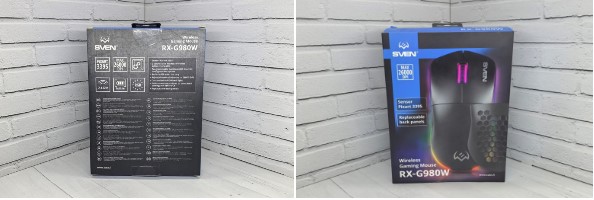
The new product’s packaging is very informative. On each side, you’ll find images of the model, along with a list of its specifications and features.
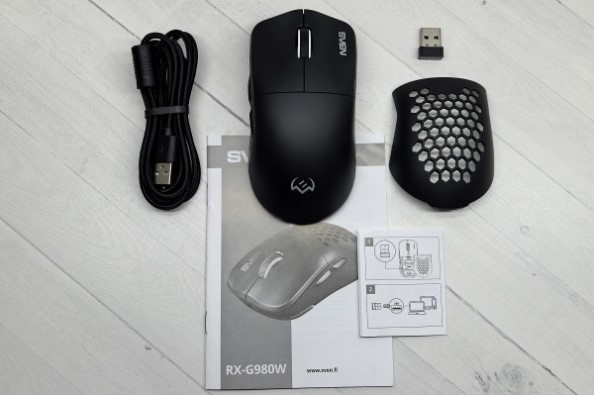
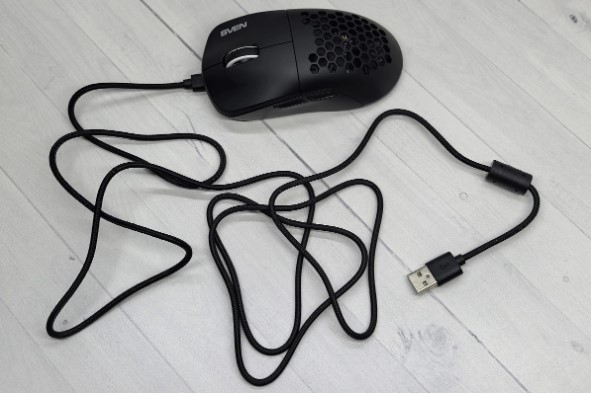
The mouse comes with a 1.8-meter braided USB-C to USB-A cable, a USB-A adapter for connecting via a 2.4 GHz radio channel, a replacement perforated back panel, and documentation.
Appearance
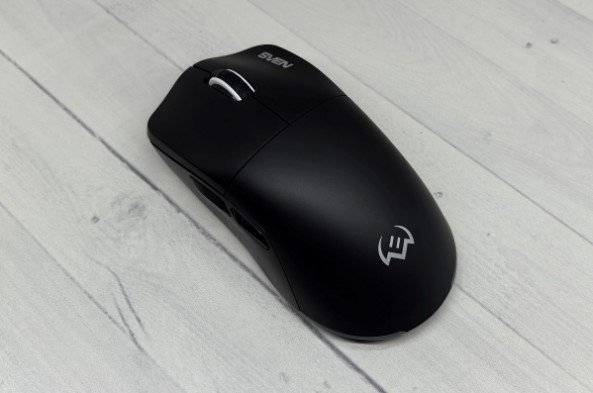
The SVEN RX-G980W is made of plastic, available in black or white. Its symmetrical shape makes it suitable for both left- and right-handed users, although the buttons on the left side suggest it’s intended for the latter group. The device measures 125 x 64 x 40 mm and weighs 95 grams. It fits comfortably in the palm and accommodates various grip styles, but it feels a bit heavy, although this is a matter of personal preference.
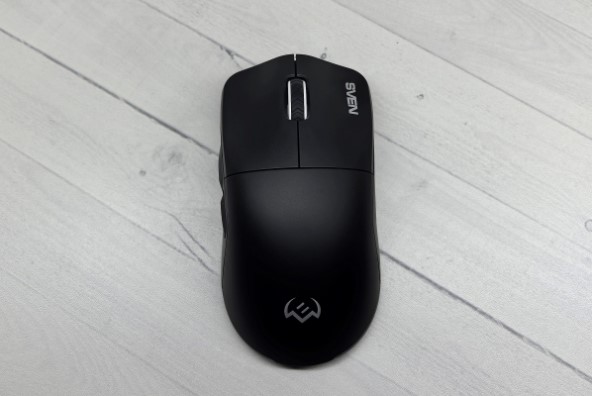
The right and left mouse buttons are separate, with small indentations for fingertip control. The right button is adorned with the brand name. A wheel with a rubberized protector is positioned between them. The buttons are fairly easy to press and produce a clear click, so the model isn’t exactly silent. The switches are Huano switches with a 50 million-click lifespan. The wheel rotates with a medium effort, with a clear feedback for each step, and is fairly firm to press.
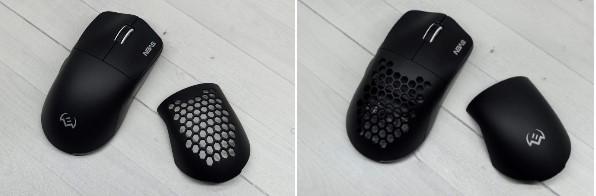
By default, the new model comes with a solid back with the brand logo. Optionally, you can upgrade to a perforated one with honeycomb-shaped holes. This improves ventilation, which is ideal in hot weather, and also makes the mouse more visually appealing, as the illuminated company logo and internal components are visible through the holes.
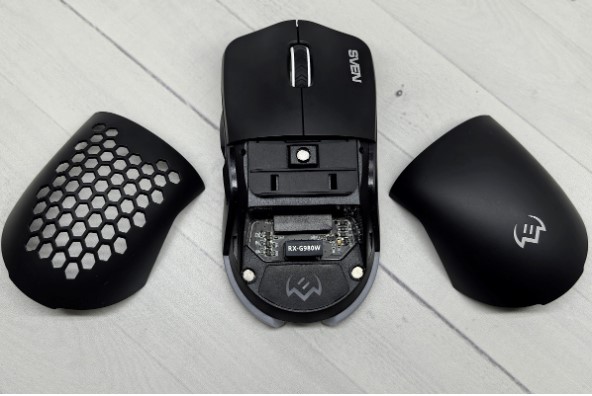
Note that there’s a hole under the cover for the USB-A adapter, making it convenient for storage if the mouse is connected via a cable. Both backs are attached magnetically, so simply pulling them up is enough to remove them.
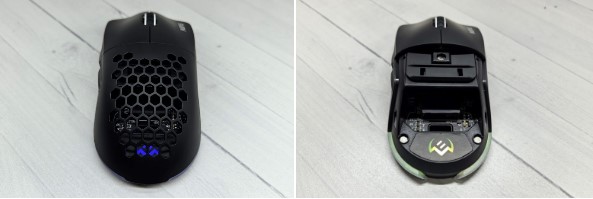
Speaking of backlighting , in addition to the logo under the lid, the device also has light strips on both sides and at the back, just below the base. It has nine modes , and you can also adjust the speed and brightness. It can even be turned off completely if needed. Overall, it adds a vibrant touch to the device while still looking unobtrusive. I like this design.
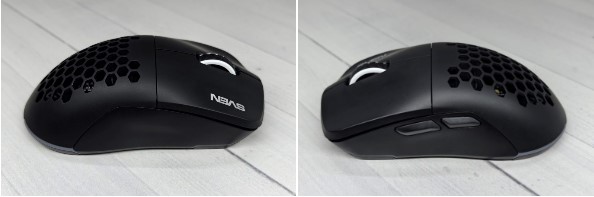
The side edges have slight concavities for a better grip. Additionally, the left side houses the Up and Down buttons for scrolling through browser pages. These, like other keys, can be reassigned via the proprietary software. Both buttons are well-positioned, ensuring your thumb hits them precisely.
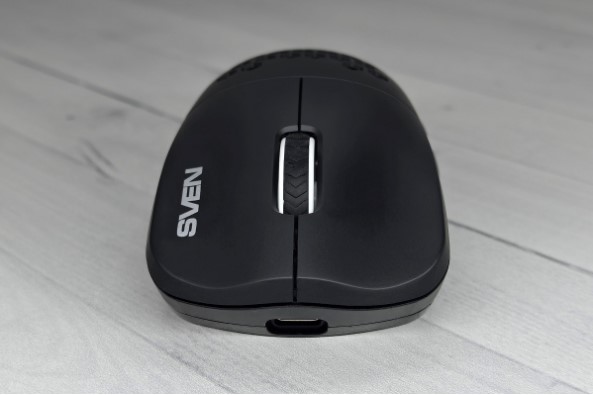
The front panel features a USB-C port in the center for connecting the cable. The cable boasts high-quality braiding, a ferrite filter, and a generous 1.8 meters in length.
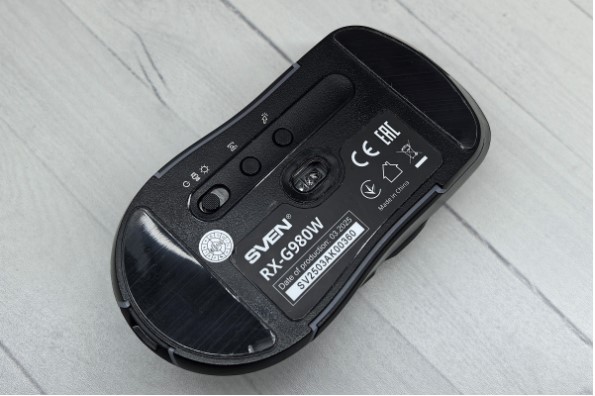
The base is equipped with a pair of Teflon feet on the front and back. The optical sensor window is visible in the center, with buttons to the left for adjusting the DPI and polling rate, as well as a three-position switch for activating the backlight , disabling the mouse, and switching to wireless mode.
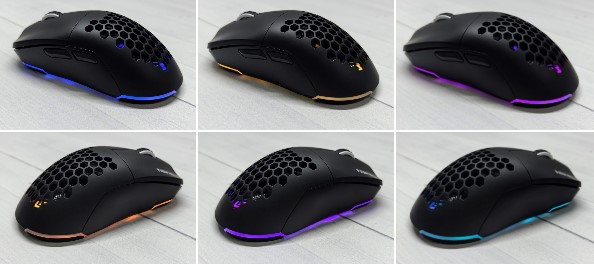
Overall, despite its extremely affordable price, the SVEN RX-G980W leaves a pleasant impression. Its ergonomics are good, the build quality is high, and the plastic doesn’t feel cheap. Furthermore, it has an interesting design with replaceable back panels, which allows for some customization. The only thing I didn’t like was its heft, but as I said above, this is a matter of personal preference, so I don’t consider it a drawback.
Connection and setup
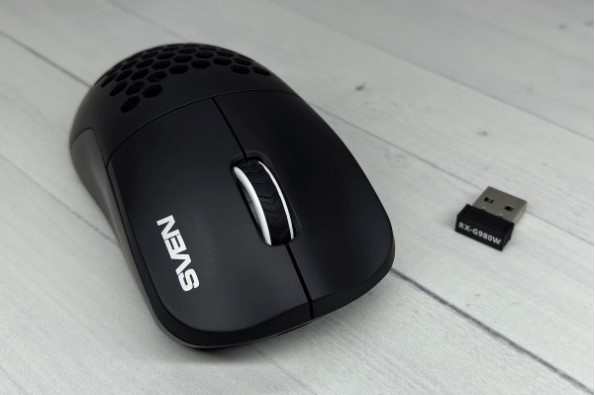
The SVEN RX-G980W uses two connection methods: a cable connection and a wireless connection via a 2.4 GHz radio channel. With the cable connection, simply connect the mouse to the PC with a cable. With the wireless connection, simply plug the adapter into the PC’s USB-A port and move the slider to the center position. The mouse is immediately ready for use.
To configure the device, you need to download the proprietary utility from the official page on the manufacturer’s website in the “Support” section .
After installation, a window will appear displaying the connection method and remaining battery capacity, as well as buttons for resetting settings, saving and loading profiles, and applying selected settings. All these elements are located at the bottom.
There are four tabs on the left:
- Lighting to control the backlight (select the glow method, speed, brightness and switching to sleep mode);
- Customize to reassign buttons (this can be done for RMB, LMB, wheel, side keys and the DPI button);
- DPI for changing DPI modes, selecting the sensor polling rate and changing the speed of the wheel when rotating;
- Macro for recording macros.
Overall, the app is simple and intuitive, with the only minor drawback being the lack of a Russian translation. Another nice feature is that all settings are saved to the mouse’s memory, so you don’t need to re-configure them when transferring it to another device.
Impressions of use
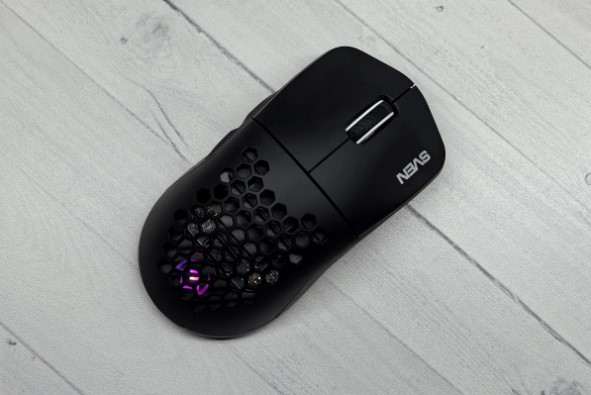
The SVEN RX-G980W is an affordable mouse that, while downright inexpensive, boasts high-quality build quality, a pleasing design, good ergonomics, premium materials, and Huano switches with a 50-million-click lifespan. It also boasts interchangeable covers and adjustable RGB lighting, making it more fun and noticeable.
In addition, it has two connection methods, a long cable with a reliable braid, and user-friendly software for configuration.
Speaking of its performance, the Pixart 3395 optical sensor with a maximum resolution of 26,000 dpi and a high polling rate of 1000 Hz deserves praise. This ensures fast response and precision, making it suitable for gaming.
All of the above is complemented by a 600 mAh battery, which in my case was discharged after about 20 hours of use with the backlight turned on at maximum brightness.
Conclusion
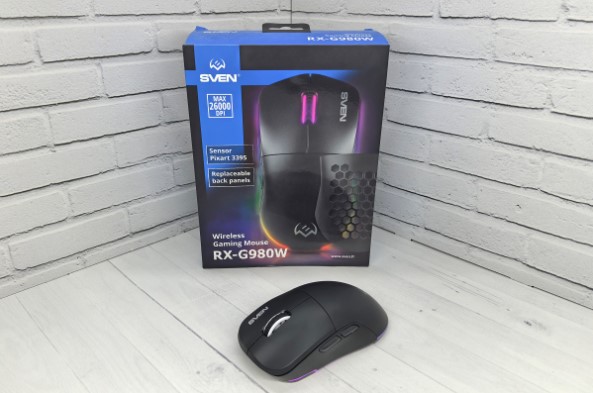
The SVEN RX-G980W has proven itself to be an excellent mouse with many advantages, and its only drawback is the lack of a Russian language in the settings application.
The list of advantages includes a pleasant design, high-quality plastic, good assembly, a comfortable shape, the presence of replaceable panels and high-quality Huano switches.
Additionally, the new product boasts bright RGB backlighting, user-friendly software with a wide range of settings, two connection options, a precise Pixart 3395 sensor, decent battery life, and a long cable included.
All this for less than a thousand rubles, making the SVEN RX-G980W a good choice for work and entertainment.
- Good ergonomics
- High-quality assembly
- Pleasant materials of execution
- Interesting design with interchangeable panels
- Two connection methods
- Long braided cable included
- Long-lasting Huano switches
- Fast and accurate Pixart 3395 sensor
- Good battery life
- User-friendly software with a large number of settings
- The software is not translated into Russian.







