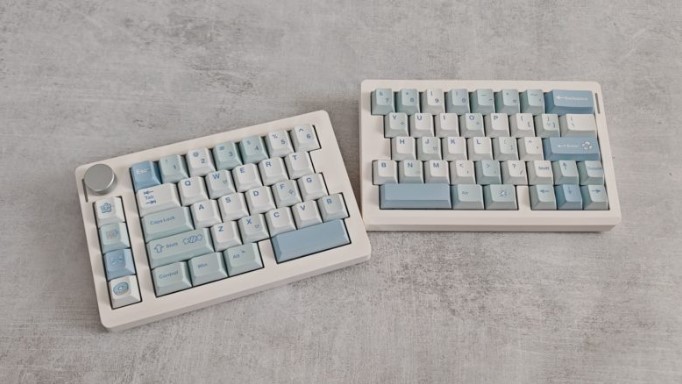
The new EPOMAKER keyboard was designed to make computer work and gaming as comfortable as possible. To achieve this, it was split into two halves, allowing the user to choose how they want to position them on their desk. We’ll find out how effective this design is in our review.
Technical specifications
- Form factor: 70%
- Structure: classical
- Switches: EPOMAKER Wisteria Linear Switch V2 mechanical
- Number of keys: 71 + volume wheel
- Layout: ANSI, en
- Hot swappable switches: yes
- Keycaps: PBT, Cherry profile
- NKRO: yes
- Backlight: RGB (customizable)
- Multimedia: Fn+keys+volume wheel
- Connectivity: USB-C, Bluetooth, 2.4 GHz radio
- Polling rate: up to 1000 Hz
- Compatibility: Windows, macOS
- Body material: plastic
- Wrist rest: no
- Dimensions: 184+188 x 118 x 40 mm
- Weight: 890 g
- Battery: 3000 mAh
- PO: yes
- Features: volume control wheel, ergonomic split design
Equipment and design
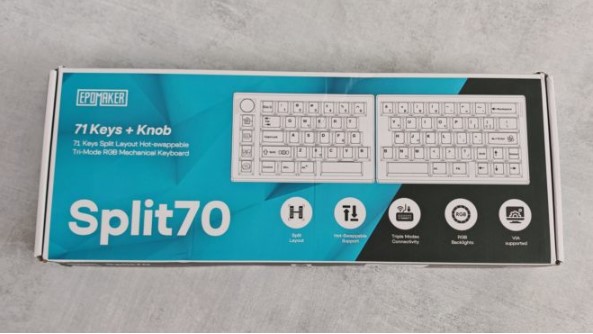
EPOMAKER Split70 is packed in a cardboard box, which shows the model, lists its features, and provides information about the manufacturer.
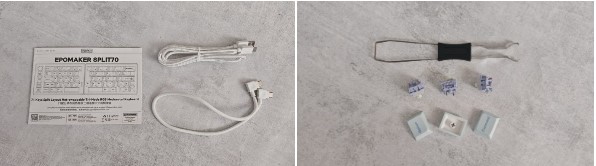
Inside are the two halves of the keyboard , a USB-C to USB-C cable for connecting them together, a USB-A to USB-C cable for wired connection, a double-sided keycap and keycap puller, several spare keys and keycaps, as well as a user manual and a card with QR codes leading to the EPOMAKER website and software.
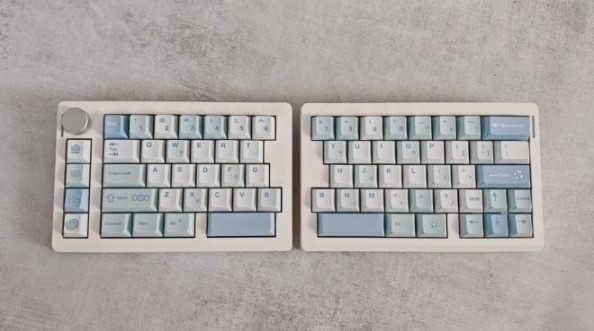
The device has an unusual design: the keyboard body is divided into two nearly equal halves, the left being 4 mm shorter than the right. As noted above, they can be connected using the included cable, but the left half remains the “master” of the pair: it features a USB-C port for connecting to a PC and charging, a connection mode switch, and a slot for storing the 2.4 GHz dongle, while the right half only has a USB-C port for connecting to its “sister” device.
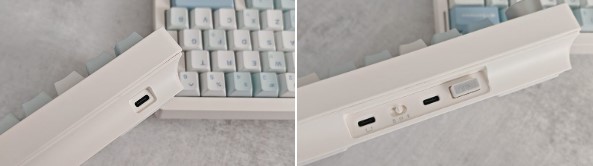
The connecting cable is long enough to allow you to position both halves of the keyboard however you like—side by side or apart, at any angle that suits you. This is unusual, to say the least, but it actually gives you freedom in organizing your workspace. While conventional keyboards, even ergonomic models, are limited by a specific key arrangement on the deck, the EPOMAKER Split70 divides the keyboard body into two halves, allowing you to position them independently, based on your personal comfort.
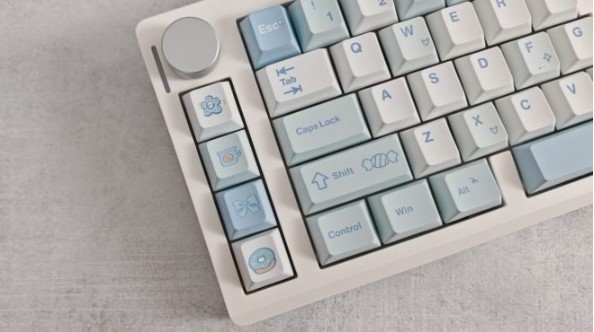
The keyboard features a 70% form factor, 71 keys, and a volume wheel. There’s no numpad or F1-F12 row, and some keys have been moved from their traditional locations to the left side of the device, arranged vertically. The spacebar is split into two halves: you can either use both for their standard function, or assign an alternative command to either half if you prefer.
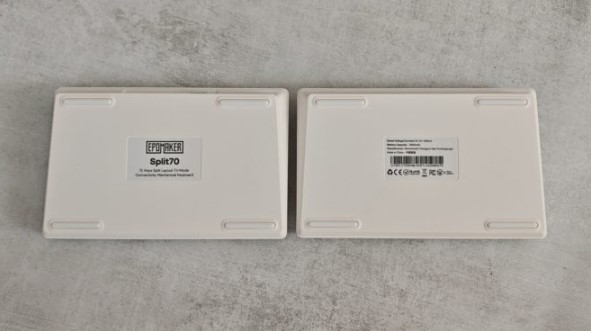
The device rests on a desk surface with silicone feet. While the model doesn’t have folding feet, the rear of the device is already noticeably elevated relative to the front, making typing more comfortable.
The model is available in black and white; we’re reviewing the latter. The keycaps are made of durable, wear-resistant PBT plastic, with opaque characters. The keycaps are Cherry, perhaps the most common and popular choice in mechanical keyboards.
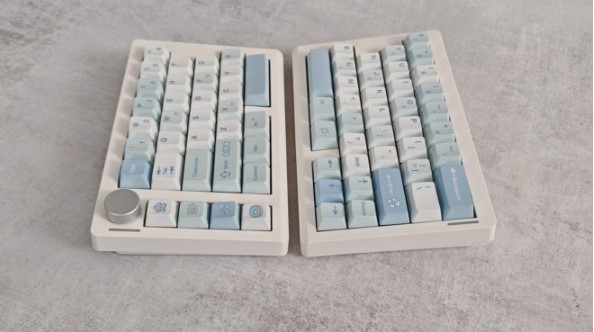
The EPOMAKER Split70 is eye-catching, but design isn’t the main focus. What’s more important is the keyboard’s comfort : the split halves of the keyboard can be angled comfortably to reduce strain on your arms and shoulders during long typing sessions or intense gaming.
Connection and setup
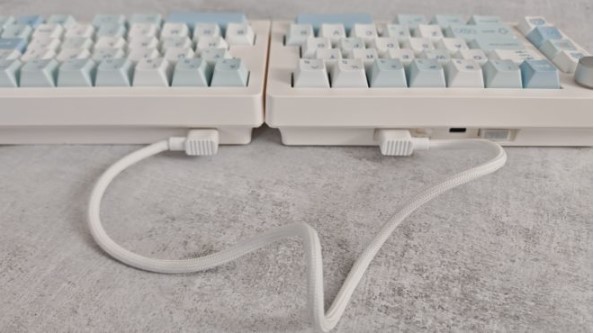
The new product supports three connection modes: wired USB, 2.4 GHz wireless, and Bluetooth. With Bluetooth, the keyboard’s polling rate drops to 125 Hz, compared to 1000 Hz for USB and 2.4 GHz connections. Therefore, it’s recommended to use the Bluetooth connection only for work tasks—otherwise, you’ll experience signal lag when gaming.
Out of the box, the device supports a number of hotkeys, which can be used to check the battery level, execute commands for missing keys (like F2 or Home), control the backlight, and so on. Interestingly, the keys in the vertical row on the left side of the device are programmed with specific functions: “undo,” “cut,” “copy,” and “paste,” which alludes to the device’s intended use in office settings.
For more flexible keyboard customization, use VIA software, available here. To get started, download the configuration file from the official EPOMAKER website and add it to the software. Access to the options will then become available.
The app lets you check key functionality, assign commands, and change backlight settings . The software isn’t particularly user-friendly, but enthusiasts will appreciate the range of possibilities it opens up. However, you can use the keyboard without the app if you prefer—you won’t miss out on much.
Impressions of use
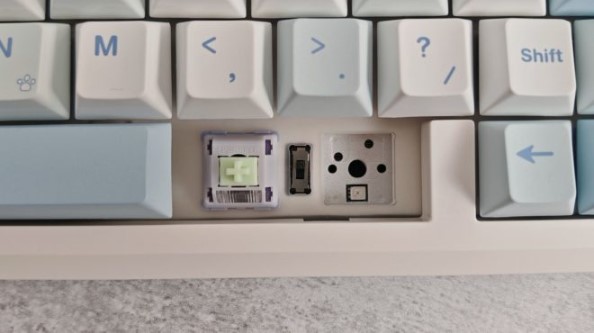
The keyboard features Wisteria Linear Switch V2 mechanical switches with a 45g actuation force and 62g full force, 2.0mm of actuation and 3.6mm of travel, and a 5 million-keystroke lifespan. Hot-swapping is supported, and they can be replaced with compatible switches without soldering or opening the keyboard.
The model features five layers of sound-absorbing materials, creating a quiet and soft acoustic profile with a pleasant, creamy sound. While the device isn’t silent, the key clatter isn’t annoying, as it can be with cheaper, lower-quality keyboards. On the contrary, the EPOMAKER Split70 delivers a solid, smooth sound, free of unnecessary overtones.
Moreover, the new product is fully capable of satisfying users both during work and gaming. The switches are responsive and reliable enough to ensure precise character control and instant command execution. So, you won’t have to switch keyboards if you decide to take a break and play a few matches of an online shooter .
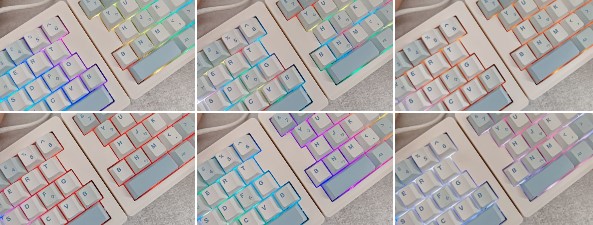
The device is equipped with a 3000 mAh battery. This is a fairly average capacity, so you can expect only 10-12 hours of battery life with the backlight on and about 200 hours with it off.
Conclusion
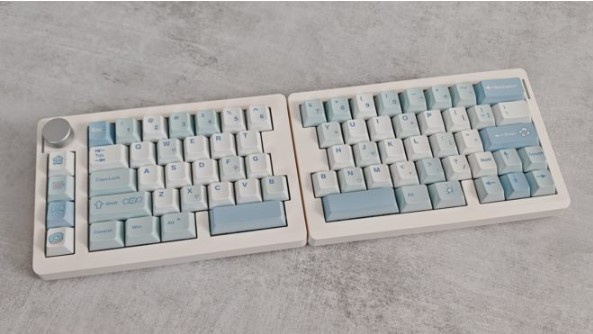
The EPOMAKER Split70 is a keyboard primarily designed for work. Its halves can be positioned at a comfortable angle, reducing wrist strain and increasing user productivity. And the high-quality acoustic profile creates a pleasant soundscape while typing.
At the same time, the model is also suitable for gaming: mechanical linear switches are characterized by responsiveness and high response speed.
The device’s drawbacks include its less-than-impressive battery life and the lack of a row of F-keys. Otherwise, it’s a perfectly good, well-built, and distinctively designed keyboard.
- Original design
- Beautiful lighting
- Three connection modes
- High quality caps
- Responsive switches
- The software is a bit complicated for beginners
- Modest autonomy
- Missing frequently used keys







