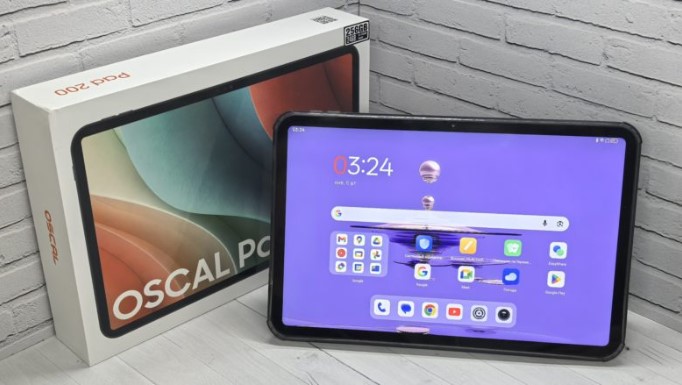
OSCAL marked the beginning of 2026 with the release of the OSCAL PAD 200 tablet. Its features include a 13.4-inch FHD display with a 120Hz refresh rate, a 7.9mm-thick metal body weighing 750 grams, and the company’s proprietary DokeOS 5.0 operating system based on Android 16, with support for the company’s Doke AI 2.0 technology, which combines three AI models—DeepSeek-R1, ChatGPT-4o mini, and Gemini AI 2.0—as well as high-quality cameras with FHD video recording, stereo speakers with surround sound, and a comprehensive set of wireless modules. We’ve gotten to know the new device and will share our impressions of its use in this review.
Technical specifications
- Display: IPS, 13.4 inches, 1920 × 1200, 120 Hz, 240 Hz touch sampling rate, TÜV SÜD for low blue light emissions
- Processor: Unisoc Tiger T7280, 8 cores (2 × Cortex-A75 + 6 × Cortex-A55), up to 2.2 Hz, 12 nm
- GPU: Mali-G57 MP1, 850 MHz
- RAM: 6 GB (virtual increase by another 2, 3 or 18 GB)
- Storage: 128 or 256 GB
- Memory card support: yes, microSD up to 2 TB
- Main camera: 16 MP
- Front camera: 8 MP
- Battery: 8300 mAh
- Wireless modules: Wi-Fi 5 (802.11 a/b/g/n/ac), Bluetooth 5.0, LTE, nano-SIM, GPS, GLONASS, Galileo, Beidou
- Interfaces: Type-C, 3.5 audio output
- OS: Android 16 with DokeOS 5.0
- Dimensions: 309.41 × 201.49 × 7.9 mm
- Weight: 750 g
- Multimedia: 2 BOX speakers with Smart-K function, one microphone
- Colors: Space Gray, Glacier Blue
- Body material: metal
Packaging and assembly
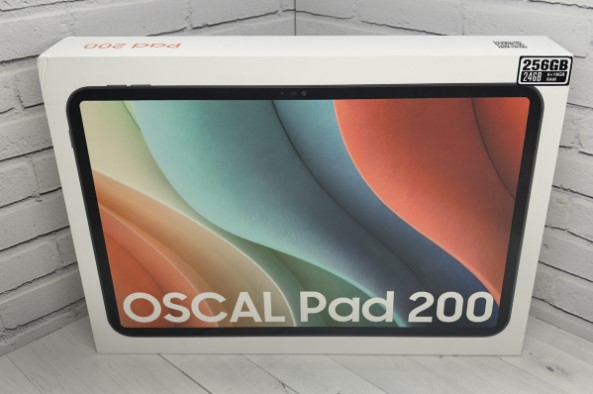
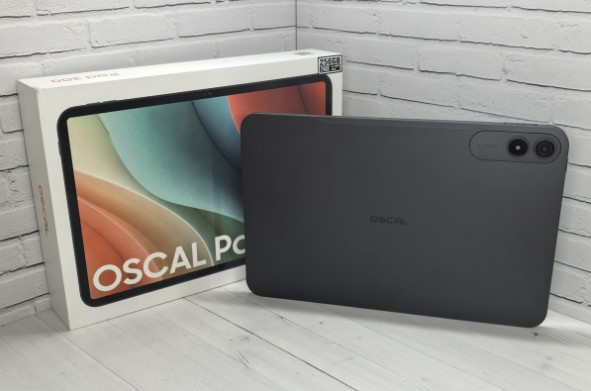
The OSCAL PAD 200 comes in a heavy, white cardboard box. The front features an image of the device and its name, the back lists its specifications, and one side contains a list of included accessories.
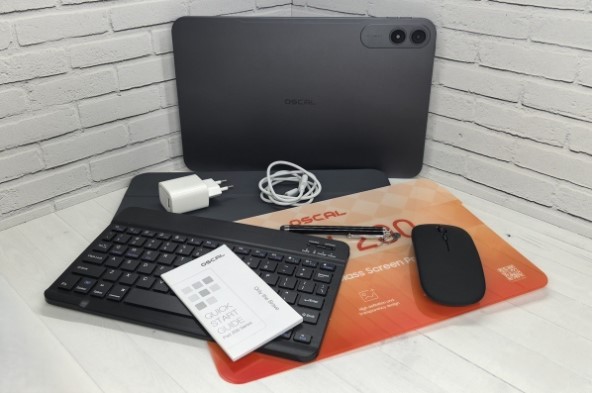
The latter is impressive, because in addition to the tablet itself with a transparent film on the display, you will find in the package:
- case-stand;
- keyboard ;
- protective glass;
- 18W power supply ;
- USB-A – USB-C cable;
- passive stylus ;
- wired in-ear headphones ;
- mouse ;
- a paperclip for removing the SIM card tray;
- instructions.
So, with the OSCAL PAD 200 you get not just a complete set of accessories for protection, but also everything you need for maximum productivity .
Accessories
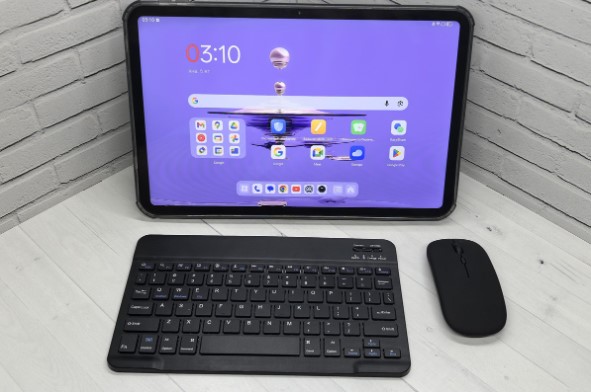
I have presented a list of accessories above, but it is worth talking about them in a little more detail.
The first thing that catches your eye is the book-style case, which covers not only the back but also the display. The cover can fold three times, allowing it to be used as a stand. The part that attaches to the tablet is made of fairly thick plastic, enhancing protection, while the cover is quite thin, so the case doesn’t significantly increase the device’s size. The quality of the finish is also pleasing—the outer surface has a pleasant texture and is resistant to fingerprints and other marks.
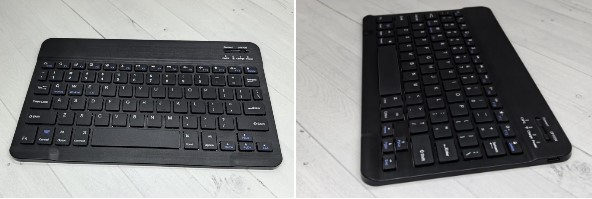
The keyboard is a low-profile model with an island-style layout, membrane switches, and reduced keycaps. This allows for a very compact footprint, making it a breeze to carry around as an accessory. The symbols are standard, and the alphabet is English. It connects via Bluetooth and is powered by a built-in battery, which is charged via a USB-C cable.
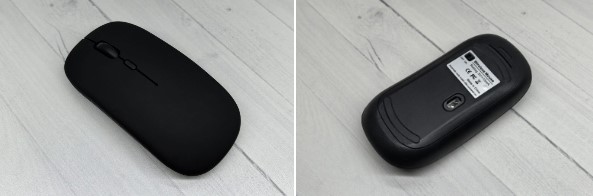
The included mouse is a low-profile, office-style mouse. Its advantages include its small size, Bluetooth connectivity, pleasant soft-touch coating, and adjustable DPI. The manufacturer doesn’t specify the DPI, but it feels like 3200 DPI, which is quite good for a basic model. It is powered by two AAA batteries .
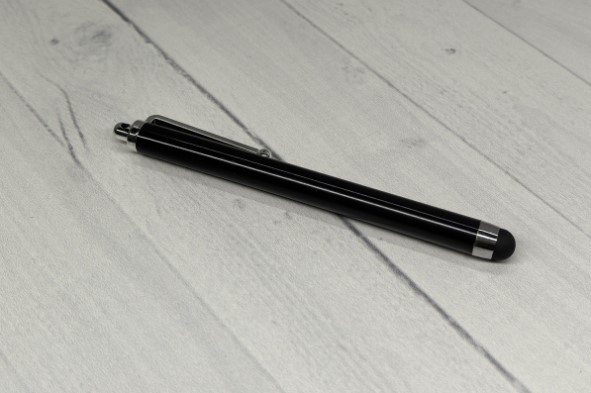
The new device’s stylus is passive. This means it doesn’t detect pressure or tilt, making it unsuitable for professional tasks like drawing. However, it can handle basic tasks like highlighting/underlining objects, interacting with the interface , and handwriting.
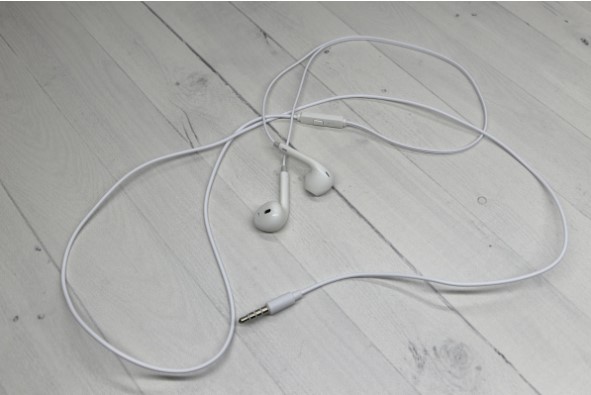
The headphones in this case are also very basic – in-ear. There’s really nothing to say about them, other than that they’re equipped with a microphone and a button for answering calls. They’re suitable for listening to music in the background or for chatting, provided there’s no loud ambient noise.
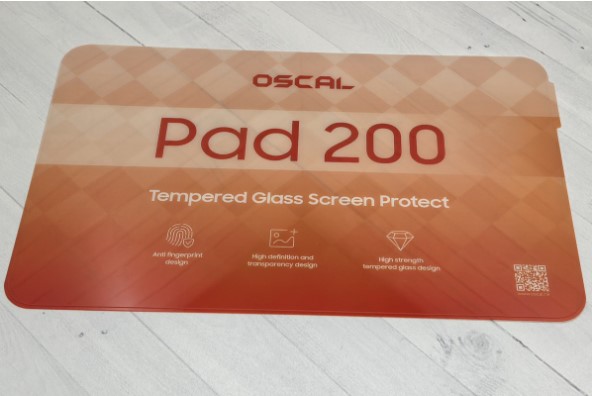
All this is complemented by tempered glass for the display.
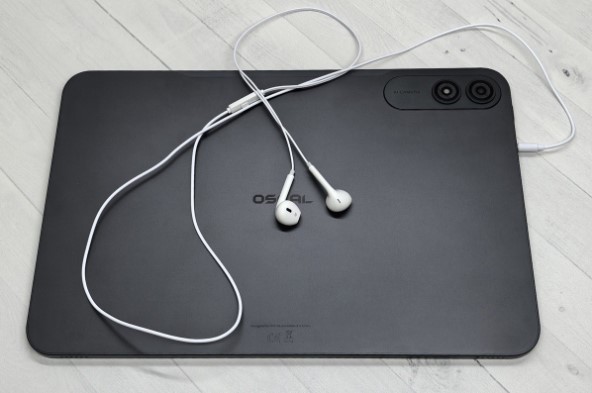
Overall, the accessories aren’t particularly advanced, but their presence is a plus, because, as I said above, they not only provide comprehensive protection for the tablet, but also allow you to fully appreciate its capabilities without any additional expense.
Appearance
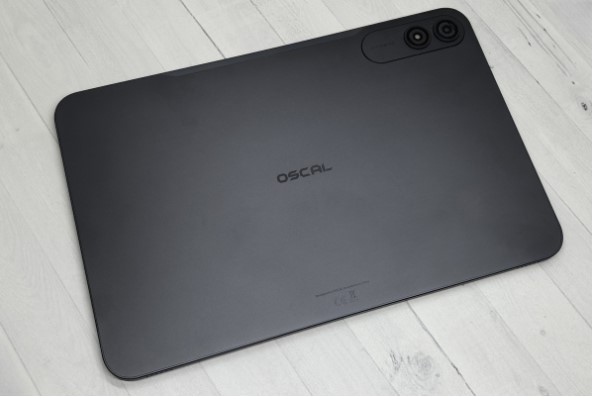
The OSCAL PAD 200 is available in two colors: Glacier Blue and Space Gray, as seen in our review. In both cases, the manufacturer makes the back panel out of metal and the frame out of plastic. They choose plastic for the frame because metal does not transmit signals well, so they use plastic to ensure the wireless modules work properly, with the antennas placed underneath. The device measures 309.41 x 201.49 x 7.9 mm and weighs 750 grams.
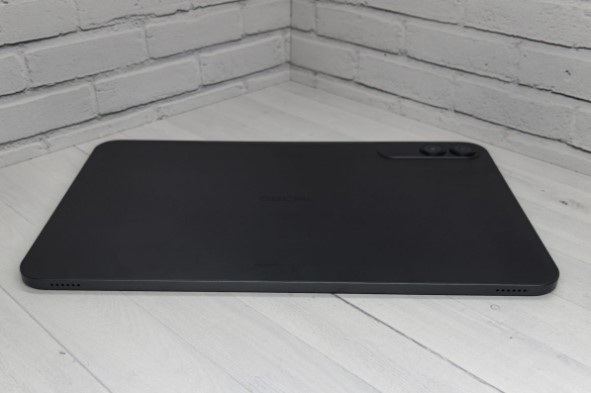
The rear panel features the brand name in the center. When held vertically, the camera module , which houses a 16-megapixel lens and flash, protrudes slightly in the upper left corner .
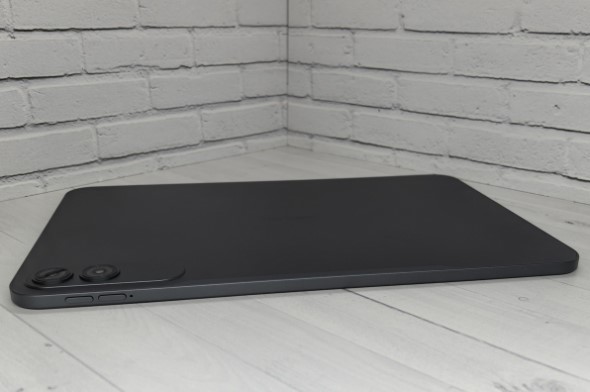
In a horizontal position, two speakers are visible at the bottom, located at the edges, and at the top is a microphone and separate keys for adjusting the volume, placed closer to the left edge.
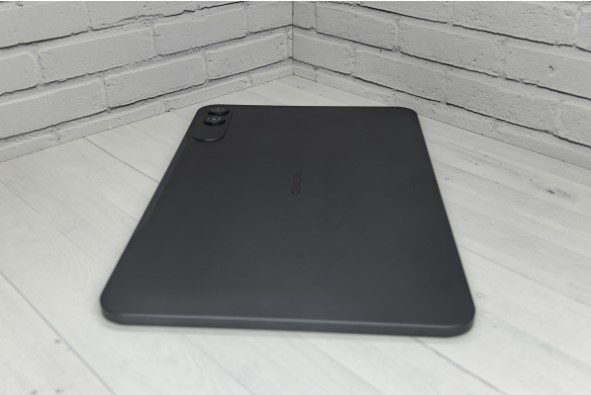
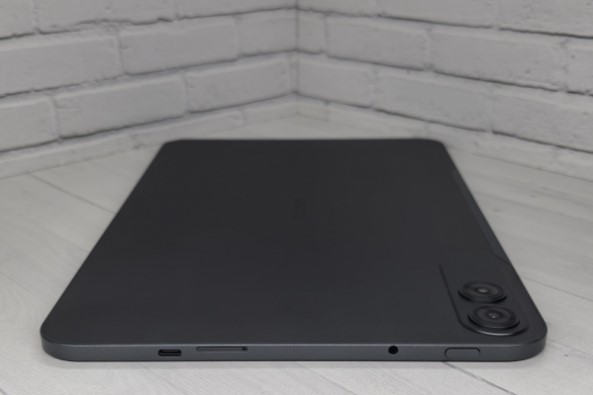
The right side is free of any interfaces or controls, while the left side is equipped with a power button, a USB-C port, a 3.5 audio jack, and a tray for two nano-SIM cards, one of which can be replaced with a microSD memory card up to 2 TB.
The front panel features a 13.4-inch display with a protective film, surrounded by a medium-thick frame. This allows for comfortable use without having to touch the screen. The front camera is located at the top center. In addition to taking photos, it also unlocks the system with your face, which it does quickly and reliably.
Overall, the OSCAL PAD 200 leaves a pleasant impression. It boasts a stylish design, high-quality build quality, and a pleasing metal casing with a fingerprint-resistant finish. Despite its large screen , the device boasts excellent ergonomics, as well as a pleasantly slim profile and relatively light weight. This makes it easy to carry. Among its advantages, I’d highlight the logical placement of the cameras, buttons, and speakers, as well as the audio jack and the ability to use a microSD card, albeit in place of a second SIM card.
Display
The display is one of the new device’s key features. This one features a 13.4-inch IPS panel with FHD resolution, a 120Hz refresh rate, and a 240Hz touch sampling rate . It also has TÜV SÜD certification for low blue light emissions.
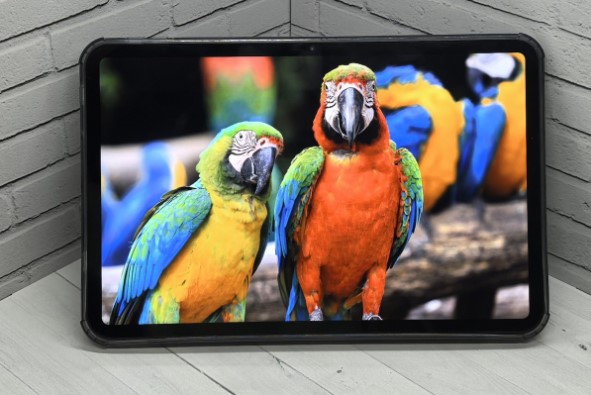
All of this means that by choosing the OSCAL PAD 200, you’re getting a device with a huge, smooth display that also boasts wide viewing angles, high detail resolution, fast response times, adequate color reproduction, and is safe for your eyes. Brightness isn’t specified, but it’s perfectly adequate for use in cloudy conditions. In direct sunlight, the display will appear washed out, but still legible.
Overall, I consider the display excellent for this price segment, making it an ideal choice for content consumption, such as watching movies and videos, reading books and comics , surfing the web , and catching up on the news. It’s also suitable for work, as the new model features a dedicated desktop mode called PC Mode 3.0, multi-window functionality, and other features that transform the tablet into a full-fledged laptop when connected to a keyboard .
All this is complemented by good personalization options, in particular, you can choose your own icons, wallpaper , themes, color style, and activate dynamic effects for unlocking and turning on/off the display.
Performance
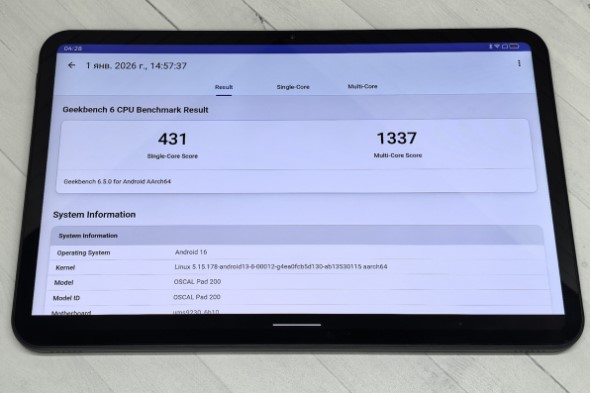
The OSCAL PAD 200 is equipped with an octa-core Unisoc Tiger T7280 processor , introduced in 2024. Manufactured using a 12 nm process, it consists of two Cortex-A75 cores running at 2.2 GHz and six Cortex-A55 cores running at 1.8 GHz. Graphics are handled by a Mali-G57 MP1 coprocessor running at 850 MHz.
Memory options include 6GB/128GB and 6GB/256GB. RAM is expandable up to 24GB, and storage can be increased by up to 2TB via a microSD card.
We couldn’t complete the AnTuTu performance test because the system forcefully closes it, but in Geekbench 6, our hero scored 431 points in single-core mode and 1,337 points in multi-core mode. These results are quite modest, so it’s definitely not suitable for gaming, but for everyday use, the performance is quite sufficient, even in multitasking.
Thus, the OSCAL PAD 200 is suitable for office work, watching movies , surfing, reading books, messaging, and other similar activities. A pleasant bonus is the almost complete absence of heat and, as a result, throttling. This means that even under heavy load, the model will not slow down.
operating system
OSCAL PAD 200 comes with Android 16 operating system out of the box, with the proprietary DokeOS 5.0 shell installed on top. This shell features PC Mode 3.0 for working with the keyboard and support for Doke AI 2.0 artificial intelligence , which combines three neural networks at once: DeepSeek-R1, ChatGPT-4o mini, and Gemini.
Visually, the shell resembles a pure version of Android, but differs in a large number of settings and a multitude of proprietary applications focused on working with artificial intelligence.
These include Hi Doki for communication, planning, writing texts, generating images and musical compositions, etc.; ImageX for photo processing; VidGen for creating videos from descriptions and images; and Soundle for composing songs and music. Furthermore, the artificial intelligence can recognize the user’s voice and respond only to it, communicate online, create to-do lists, translate text, search by photo, and much more.
PC Mode 3.0 offers users instant switching between the standard and desktop interfaces, a smart panel with access to recently opened applications, support for multiple windows with the ability to flexibly resize them, and convenient separation of programs by purpose.
In addition to the above, the system offers a split-screen function, information sorting by content type, an updated notepad with convenient features for office work, the Surfline application for searching relevant information, program locking with passwords, a personal space for storing confidential information, a utility for tracking health indicators, an improved timer, a game center, tools for transferring data and sharing information, and much more.
Additionally, the manufacturer claims improved software optimization , making the system fast and smooth even with modest hardware. This last claim seems convincing, as despite the relatively weak processor, the tablet feels truly snappy.
Communication capabilities
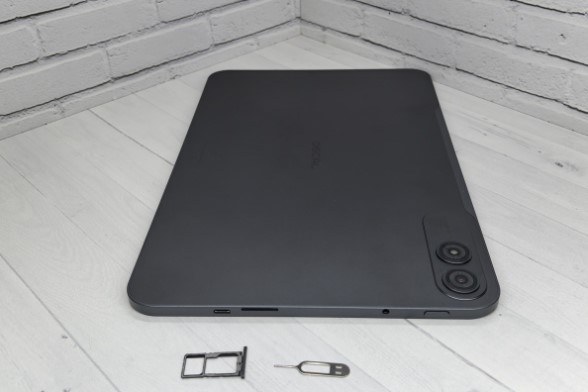
In terms of wireless modules, the OSCAL PAD 200 is quite well equipped:
- 4G for both SIM cards;
- Wi-Fi 5;
- Bluetooth 5.0 with support for SBC, AAC, LDAC, AptX and AptX HD codecs;
- GPS, GLONASS, Galileo, Beidou.
This means the new device supports calls and mobile data, streams high-quality music losslessly to wireless headphones, and even serves as a navigation device. All modules operate reliably and quickly, with no issues in this regard.
The tablet has a single microphone, but it’s sufficient for clear voice transmission during calls or video recording . There’s no speaker, so it’s best to use a headset for calls. However, two multimedia drivers with Smart-K technology provide loud, clear, and high-quality sound with a 3D effect. The large display makes watching movies on this device a pleasure even without headphones. You can connect headphones via Bluetooth, which allows you to use lossless codecs, or plug them in through the standard 3.5mm audio jack. Vibration is weak and not particularly noticeable. This device does not include a sensitivity adjustment, which we expect.
Camera
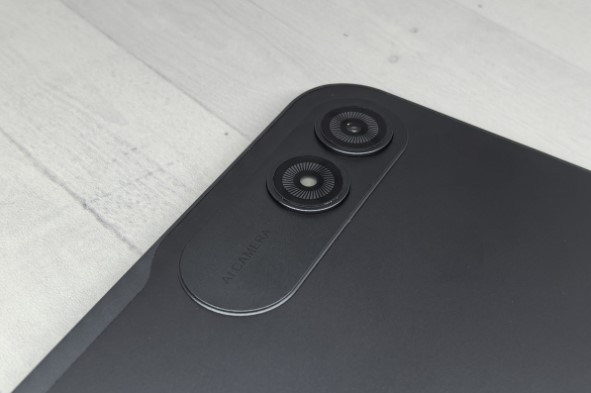
The OSCAL PAD 200 features a 16 MP main camera and an 8 MP front camera. Both shoot FHD video at 30 fps.
Tablets typically deliver disappointing photo and video capabilities, but in this case, the device produces above-average results for its category. While there are certainly some issues, such as darker color reproduction and less-than-ideal detail, the final result still looks good.
It’s worth noting that the shooting took place in rather challenging conditions, and the image would be even better in better lighting. Therefore, the OSCAL PAD 200 is suitable for simple photos for home collections or for work-related purposes, such as documents. The cameras are also suitable for video conferencing.
Useful features include face detection and a front-facing flash with fill light (which turns most of the screen white). Additionally, there’s HDR support, background blur, a built-in beautifier, and a night mode.
Autonomy
The OSCAL PAD 200’s battery capacity is 8300 mAh, which is modest for a device with such a large screen. This naturally impacts battery life, which, however, largely depends on how the device is used.
The model’s shortest battery life is when watching movies and surfing the web—around 4 hours. However, when performing office tasks or reading books, this figure increases to 8 hours. Therefore, on average, you can expect 6 hours of screen time.
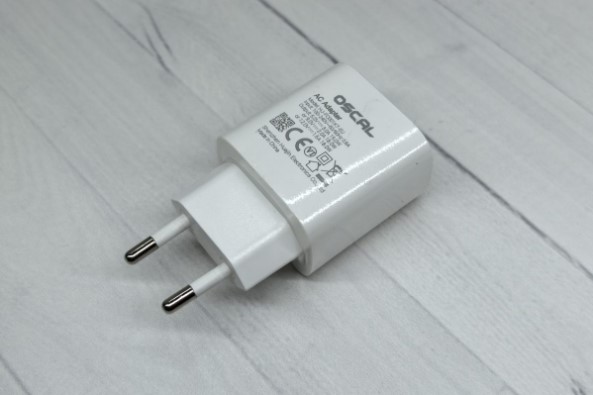
The new device charges using an 18W charger. Recharging to 100% capacity takes about 3 hours.
Conclusion
OSCAL PAD 200 is an interesting tablet with its own advantages and disadvantages.
Its advantages include a lightweight and slim metal body, a large display with good color reproduction and a high refresh rate, decent memory, and sufficient performance for basic tasks, despite its less-than-powerful processor. Additionally, the model features all the necessary wireless interfaces, high-quality stereo speakers, and a decent camera. It also boasts a user-friendly OS with extensive AI capabilities, a comprehensive package, and an attractive price, averaging 15,000 rubles at the time of writing.
The downsides I see are the low battery life and the modest processor, which, while not slow, still prevents the tablet from performing certain tasks, such as gaming.
- Metal case with small thickness and relatively light weight
- Large screen with high refresh rate
- A decent amount of memory for this price tag
- Availability of a microSD slot and 3.5 audio output
- Good optimization, thanks to which the tablet works quite fast
- A decent set of wireless modules
- Decent cameras
- Loud stereo speakers
- A user-friendly OS with desktop mode and AI support
- Rich equipment
- Weak processor
- Low battery life






