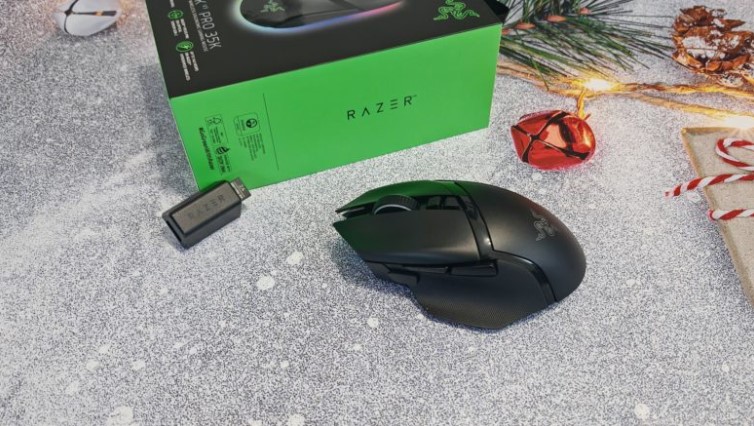
The Razer Basilisk V3 Pro 35K mouse embodies the best of what a gaming mouse has to offer: from a high-performance sensor and long-lasting battery to vibrant RGB lighting and a functional scroll wheel with three scroll modes. Read on to find out what this new mouse has to offer.
Technical specifications
- Type: wireless
- Sensor: Optical, Razer Focus Pro 35K 2nd Gen
- Maximum resolution: 35000 DPI
- Polling rate: Up to 1000 Hz (up to 8000 Hz with Mouse Dock Pro or Razer HyperPolling Wireless Dongle)
- Number of buttons: 11
- Backlight: yes
- Tracking speed: 750 ips
- Maximum acceleration: 70 g
- Microswitch lifespan: 90 million clicks
- Configuration software: yes
- Connection: wired, wireless Bluetooth and 2.4 GHz
- Battery Life: Up to 140 hours in Razer HyperSpeed Wireless mode with a 1000Hz polling rate; up to 28 hours with the Razer HyperPolling Wireless Dongle and Mouse Dock Pro with an 8000Hz polling rate; up to 210 hours in Bluetooth mode
- Body material: plastic
- Dimensions: 42.5 x 75.4 x 130 mm (height, width, length)
- Weight: 112 g
- Features: Tilt scroll wheel, three scrolling modes
Equipment and design
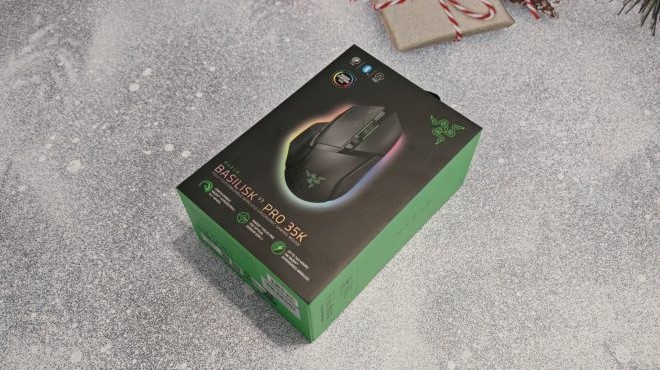
The Razer Basilisk V3 Pro 35K comes packaged in a thick cardboard box in the brand’s signature black and green colors. The box features an image of the model and highlights its key features, including long battery life, a customizable scroll wheel, an advanced optical sensor, and more.
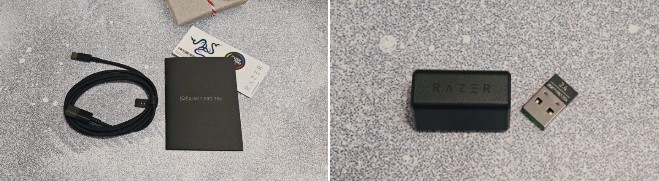
Inside you’ll find a mouse, a 2.4GHz dongle and adapter, a fabric-wrapped USB-A to USB-C cable, a user manual, and a set of stickers.
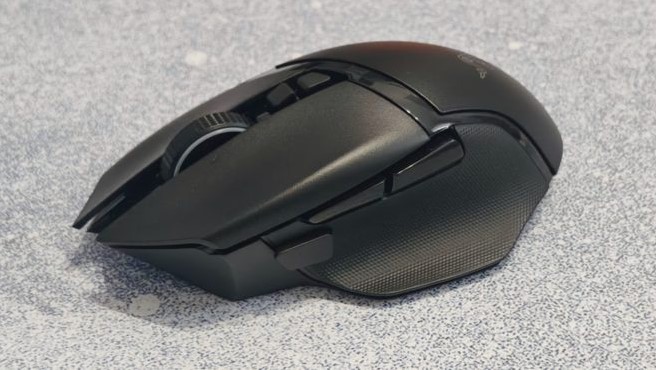
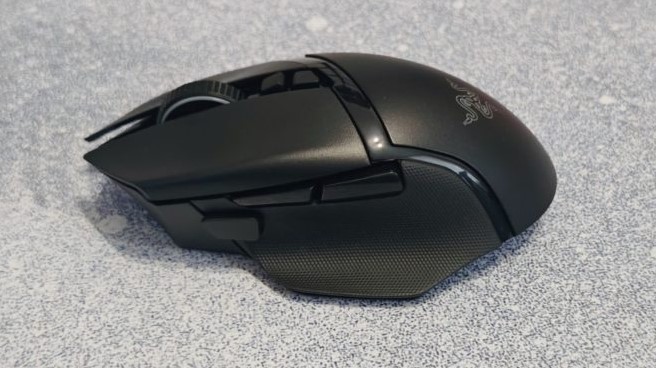
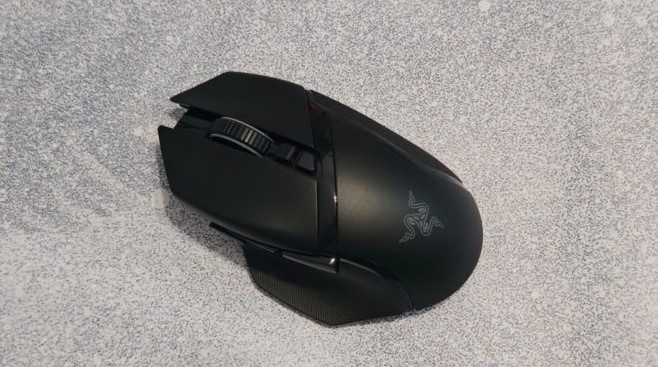
The new model features an asymmetrical case, designed exclusively for right-handed users. Ergonomics are excellent: the thumb rests on a raised, rubberized surface, and a similar rubberized insert is located on the opposite side of the case, where the ring and pinky fingers rest.
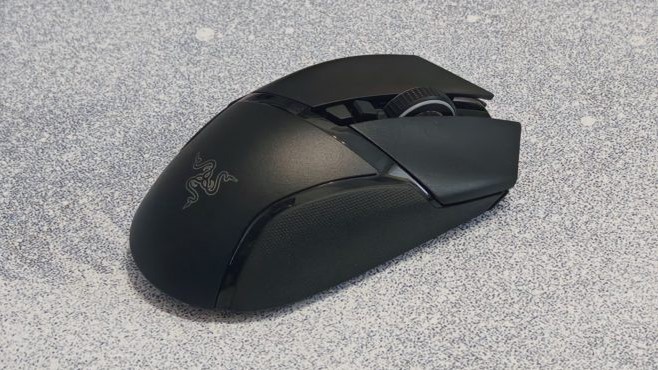
The body is long and narrow, with a medium height—suitable for both fingertip and claw grips. The standard side buttons on the left are complemented by another, larger button: by default, it changes the DPI when held down, allowing for more precise cursor control while aiming. A pair of additional buttons are located on the back, behind the scroll wheel: one switches between scroll wheel modes , the other switches the DPI.
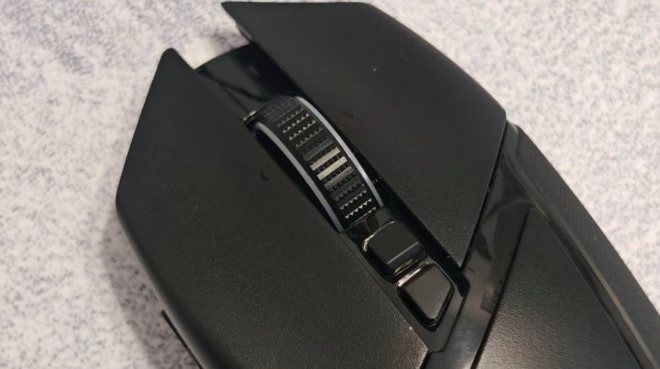
The Razer Basilisk V3 Pro 35K’s large, rubberized scroll wheel provides a perfect grip. It boasts several unique features. First, the wheel not only rotates up and down but also tilts left and right, which is used for horizontal scrolling out of the box. Second, it has three operating modes: familiar tactile scrolling with clear tick marks at each step; freewheel mode, where the wheel floats freely, allowing you to quickly scroll through long web pages or documents; and intelligent mode, in which the mouse automatically switches between tactile and freewheel scrolling based on wheel speed.
It probably goes without saying how convenient this solution is for everyday work with text and spreadsheets. It’s also a great option for gaming: tactile scrolling can be used to switch weapons or skills, and free rotation can be used to activate repeating commands.
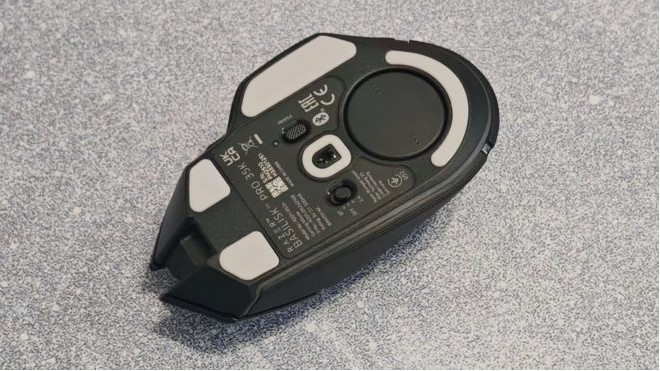
The base of the case features fluoropolymer feet that allow the device to glide effortlessly across any surface, a profile switch (the mouse stores up to five user profiles), and a switch for switching between USB, Bluetooth, and wireless connection modes. There’s also a compartment for a USB dongle, covered by a magnetic flap; this flap can be replaced with the Razer Wireless Charging Puck, allowing the mouse to be charged via the Razer Mouse Dock Pro.
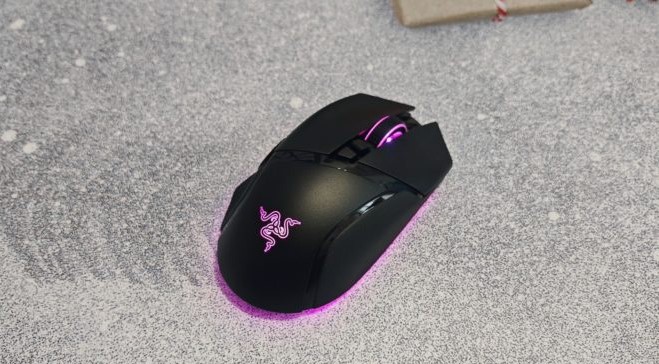
The underside of the mouse, the scroll wheel, and the Razer logo on the back are illuminated . The illumination is zonal, allowing you to individually adjust the mode, color, and speed for each area.
The Razer Basilisk V3 Pro 35K is undoubtedly a very comfortable and ergonomically well-designed mouse. The only drawback is its considerable weight. While this is a matter of personal taste, and many gamers prefer heavier devices, I’d still like a slightly lighter model.
Connection and setup
The mouse supports three connection modes: wired USB, wireless Bluetooth, and 2.4 GHz. Using the 2.4 GHz dongle, you can simultaneously connect a Razer mouse and keyboard supporting the Razer HyperSpeed Wireless protocol to the same source, freeing up one USB port on your computer—a good solution for those whose ports are full of peripherals.
To configure the model, you need to download the Razer Synapse app, which serves as a hub for all Razer devices. For the Razer Basilisk V3 Pro 35K mouse, the utility includes several tabs:
Settings – here you can configure mouse button functions and select scroll wheel modes: tactile, free-wheel, and smart scrolling. This tab also allows you to pair multiple HyperSpeed devices.
Performance – everything related to the device’s parameters, including setting DPI levels, choosing the polling rate, and calibrating the mouse sensitivity .
Backlighting – fine-tunes your mouse’s lighting. You can choose from a dozen preset effects or create your own preset, but this requires installing the Chroma Studio module, which is designed for managing device lighting. The Razer Basilisk V3 Pro 35K has 13 lighting zones, each customizable. The lighting can also be synchronized with games that support Chroma effects.
Calibration – here you can improve the accuracy of the mouse depending on the surface, be it a mouse pad or a table .
Power – on this tab, you can set the time for the device to go into sleep mode and the scenario for switching to low power mode.
Impressions of use
We’ve already mentioned the excellent ergonomics of the Razer Basilisk V3 Pro 35K, but it bears repeating: the mouse fits perfectly in the palm of your hand and glides smoothly across the desk surface. All the keys are in their proper places, and the side buttons are positioned to prevent accidental presses. The scroll wheel is wide and large, rotates smoothly, and switches modes with a satisfying clicking sound.
That said, the model’s considerable weight can’t be ignored. While some prefer heavier mice, if you work or play for more than ten hours a day, the device’s heaviness will inevitably become noticeable. Whether this is a good thing or a bad thing is up to you to decide.
The Razer Focus Pro’s 2nd-generation 35K optical sensor is incredibly precise, ensuring perfect positioning. The resolution can be increased to a whopping 35,000 DPI, in 1 DPI increments, compared to 50 DPI in other mice.
It also utilizes a number of intelligent features that enhance gaming comfort and offer more flexible mouse behavior settings. For example, the asymmetric liftoff feature allows you to adjust the liftoff and landing height of the device across 26 levels. Intelligent tracking maintains a consistent liftoff distance regardless of surface type. Motion Sync technology synchronizes mouse and computer signals, ensuring stable cursor tracking. Dynamic sensitivity automatically switches from low to high DPI during rapid mouse movements, allowing you to rotate your character 180 degrees with a single movement.
We tested the Razer Basilisk V3 Pro 35K for a week in a range of fast-paced games, including CS:GO, APEX LEGENDS , and Fortnite , as well as more sedate titles like Resident Evil Village , Sid Meyer’s Civilization VI , and Hail to the Rainbow. As expected, the new product demonstrated exceptional performance with no issues whatsoever—no sensor dropouts, double-clicks, stuttering, or other annoying issues.
As for battery life, with the included dongle, a 1000 Hz polling rate, and backlight brightness set to 33%, the mouse lasted a week of testing without requiring a charge. You can expect good, if not exceptional, endurance.
Conclusion
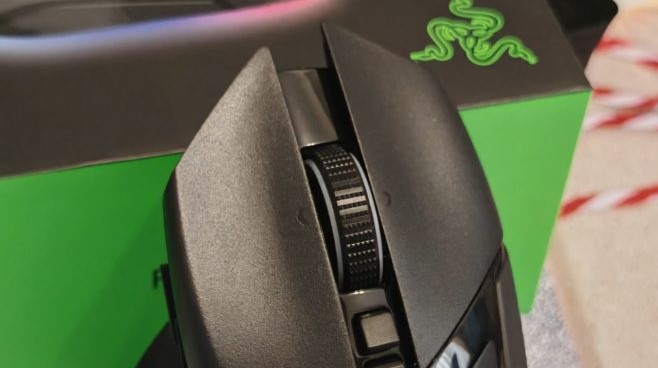
The Razer Basilisk V3 Pro 35K is the flagship mouse from the renowned brand. Its advantages include a top-of-the-line sensor, high-quality build quality, a stunning side-tilt scroll wheel with three operating modes, a stable and seamless connection, flexible customization, and excellent battery life.
On the other hand, there’s a hefty weight and a hefty price tag. Quality comes at a price, however, and the Razer Basilisk V3 Pro 35K clearly justifies its price. However, the decision to buy is yours alone.
- Excellent ergonomics
- Functional scroll wheel
- Top sensor
- Good battery life
- Flexible customization in the application
- Noticeable weight
- Quite a high price







