Despite the darkness and danger of this apocalyptic world, Grim Dawn is a game you’ll want to return to again and again. However, when you do, you might need to find your save file folder to manually copy it to another device or replace your save with someone else’s.
The path to your Grim Dawn saves on PC may vary depending on where you purchased the game.
Steam:
- C:/Program Files (x86)/Steam/userdata/[ Your SteamID ]/219990/remote/save/
GOG:
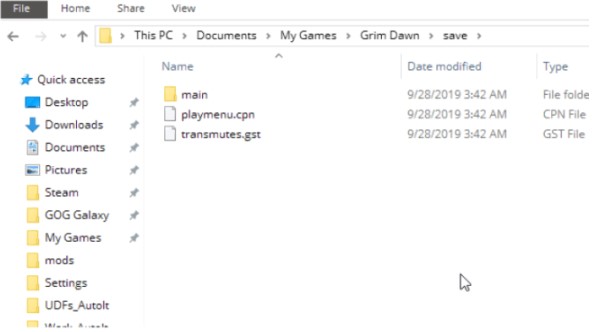
- C:/Users/[Username]/Documents/My Games/Grim Dawn/save/
And if you decide not to reward the developers for their work and simply download an unlicensed copy of Grim Dawn, you will be punished by having to search for your saves manually, as they could be stored anywhere.
To make your life a little easier, here are a couple of examples from the most popular pirated builds:
- C:/Users/[Username]/AppData/Roaming/Steam/CODEX/219990/remote/save/
- C:/Games/Steam/userdata/[ Your SteamID ]/219990/remote/save







