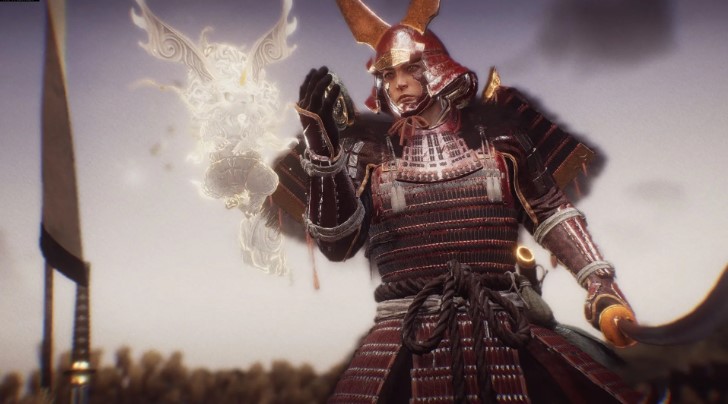
Set bonuses in Nioh 3 are special effects that activate only when wearing a certain number of items from a single set. The more items you wear, the more bonuses become active.
However, the confusing menu can make it difficult to find the right button to view these bonuses. This guide will explain in detail how to view set bonuses for any item in your inventory.
How to view set bonuses in Nioh 3
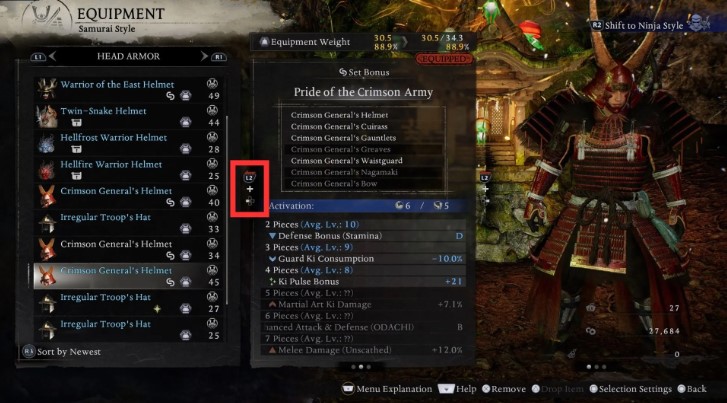
To view item set bonuses in Nioh 3, follow these steps:
- Press Esc (PC) or Start (gamepad) to open the pause menu.
- Go to the Equipment or Items tab.
- Find armor or a weapon that is part of a set.
- Press L2 + Left on the D-pad (gamepad) or C (keyboard/mouse) to open the set bonus information screen.
On the bonuses screen, you’ll also see the names of all other items in this set. Equipped items will be marked in white, while unequipped items will be gray. Similarly, active set bonuses will be highlighted in white, while inactive ones will remain gray.
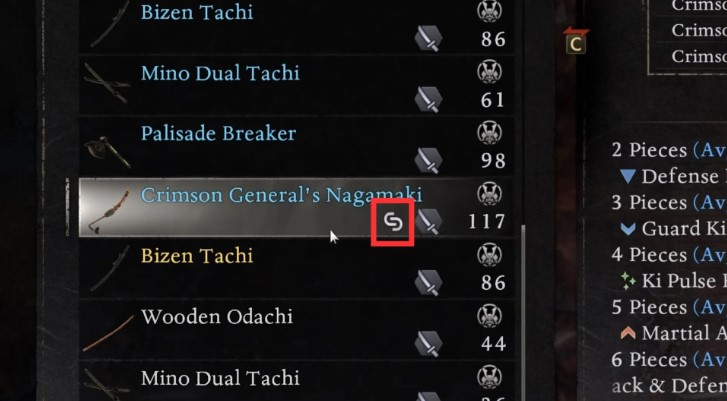
Most armor and weapons in Nioh 3 are not part of sets and therefore have no associated bonuses. Only items with a white link icon in the selection menu are part of a set.
Like regular equipment, special effects from set bonuses have stat requirements to activate. If your character’s stats don’t meet the minimum set requirements, the bonuses won’t take effect, regardless of how many pieces from the set are equipped. You can check the activation requirements below the list of bonuses.
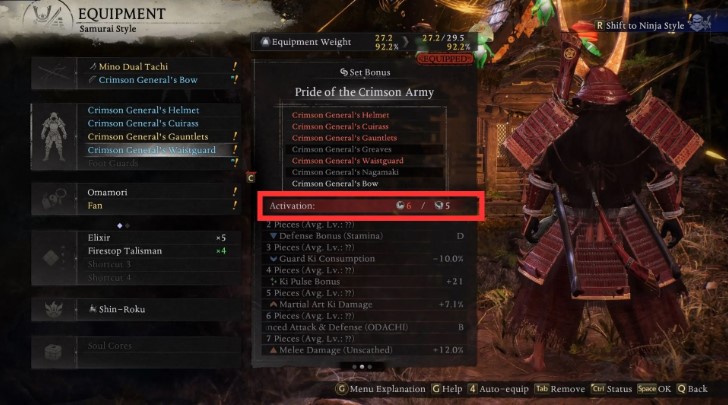
In the screenshot above, for example, the requirement to activate the “Crimson General’s Armor” bonuses is 6 Stamina and 5 Strength. If the activation indicator is blue, the requirements are met. If it’s red, you don’t have enough stats.
Resetting stats in Nioh 3 is free. If you don’t meet the requirements for the bonuses of your desired set, feel free to redistribute your character’s stat points.







