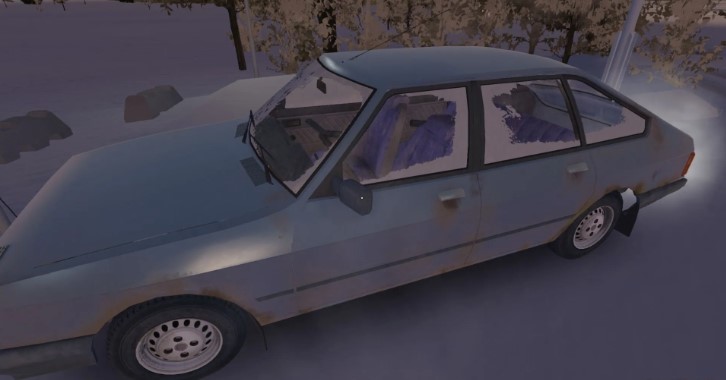
My Winter Car is not for the faint of heart. It’s recommended to play My Summer Car first , as this gritty car survival simulation recreates every aspect of driving in 1999 Finland. While the game features numerous maintenance and tuning mechanics, it’s best to first understand the basics: how to defrost, start, and drive your car in My Winter Car .
Knowing how real cars with manual transmissions work, especially older models before 1999, will give the player an advantage.
How to defrost your car in My Winter Car
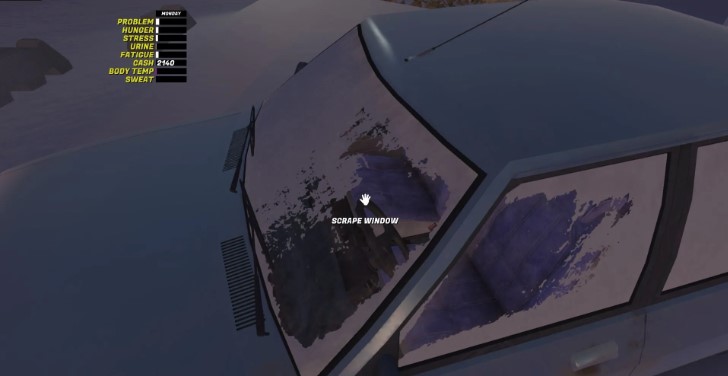
Before attempting to drive, you need to defrost your car in My Winter Car . To do this, open the door and get in. Hover over the ignition switch and click once to insert the key .
Turning on the heater and fan
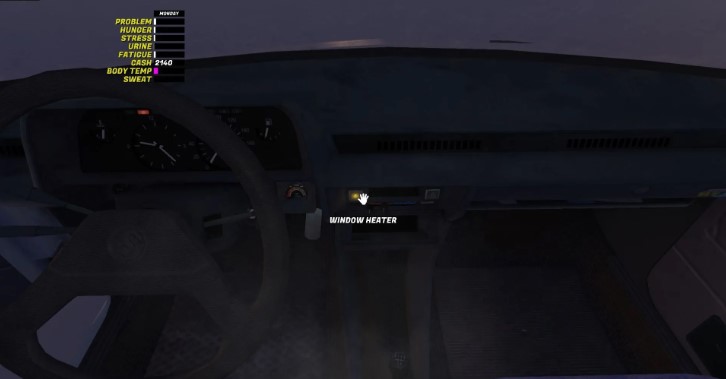
After starting the engine, look at the right side of the dashboard . Locate the square window defroster button . Press it; the yellow indicator light should come on .
Below it is the fan button . Press it twice to set the fan to maximum power.
The temperature can be adjusted using the scroll wheel , but it should initially be set to maximum. You can also adjust the airflow direction.
Cleaning glass with a scraper
While the heater is running, you can speed up the process by cleaning the glass with a scraper . Get out of the car, hover your cursor over the glass until a hand icon appears and the words “Clean Glass” appear . Starting at the top, hold down the left mouse button and drag downwards .
You will hear a distinctive scraping sound confirming the action.
The process will take some time, but it will be enough to clear the driver’s door glass and the left side of the windshield so you can start driving.
How to start the engine in My Winter Car

Starting the engine in My Winter Car is more difficult than it seems. First, you need to enter driving mode by pressing the Enter key .
Then insert the key or turn it by left- clicking on the ignition switch. The indicators on the dashboard should light up.
For a cold start , which happens often, you’ll need to pull the choke , which is located to the left of the steering wheel. To do this, left-click on it . Throughout the process, the car must be in neutral , indicated by the letter N in the lower right corner.
After this, you can start the engine by holding the left mouse button on the ignition switch . After a while, you can slowly release the choke by pressing it with the right mouse button .
Using gears and driving in My Winter Car
If you’ve never driven a car with a manual transmission , get ready to learn. The car always starts in neutral , indicated by the letter N in the lower right corner.
Gears are shifted up with the G key and down with the B key .
- R — Reverse
- N — Neutral
- 1 – First gear
- 2 – Second gear
- 3 – Third gear
- 4 – Fourth gear
- 5 – Fifth gear
In reverse gear , the W (gas) key is used to move backwards , although in other games the S key is often used for this purpose .
Automatic clutching is enabled by default in the settings, but if you want to control it manually, you can use the X key to do so .
Start of movement
To drive, you also need to release the handbrake by looking at it and pressing LMB , or by using the Space key .
After this, you can engage first gear to move forward and press W to press the gas and start moving .
Turning and braking
Use the A and D (left and right) keys to turn and S to brake .
Remember to apply the handbrake again when parking.
Other important vehicle controls in My Winter Car
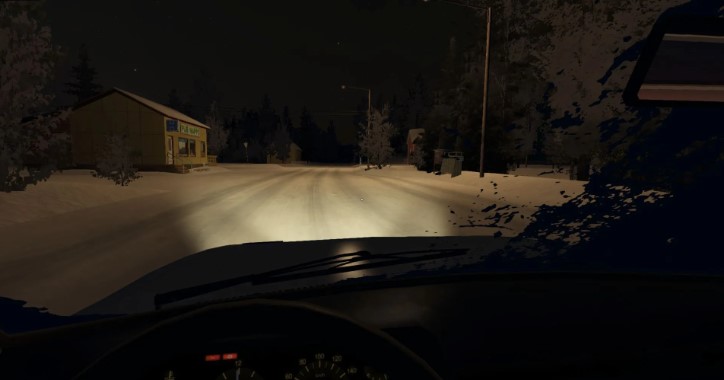
There are many other driving-related hotkeys in the game. Here are the main ones:
- J – Push: If the car is stuck, get out of it and enter push mode by pressing J.
- L — Headlights: Turn on the headlights for night driving.
- Arrows – Turn Signals: Before turning, use the arrow keys to turn on the turn signals.
After entering driving mode, look back to your left and fasten your seat belt by pulling it towards you.







