
The day and night cycle in Hytale is quite slow: a full day in the game takes almost an hour of real time. Furthermore, many actions can only be performed at specific times of day, so knowing all the time management techniques will save players a lot of effort.
Fortunately, there are methods for speeding up time and even skipping entire sections of it. This guide describes all the ways to change and skip time in Hytale, their benefits, and step-by-step instructions.
How to change the time of day in Hytale

In Adventure mode, the only way to change the time of day is to sleep in a bed at night . This switches the time from night to day, allowing players to avoid the increased difficulty and special mobs that spawn during darkness. Sleeping in a bed is only possible after 7:30 PM (game time).
By default, one minute of real time equals 30 minutes of in-game time, meaning a full day/night cycle takes 48 minutes. This speed can be manually adjusted during world creation by selecting the desired parameter from the “Day/Night Cycle” drop-down list.
To sleep, the player will need to craft a bed or sleeping bag. The first option available is a Rough Sleeping Bag , which can be crafted directly in the inventory using 3 Plant Fiber and 2 Light Hides . More advanced beds require a Furniture Workbench .
| Item | Crafting station | Recipe |
|---|---|---|
| Furniture workbench | Workbench (Level 1) – Crafting Tab |
|
How to skip time using console commands in Hytale
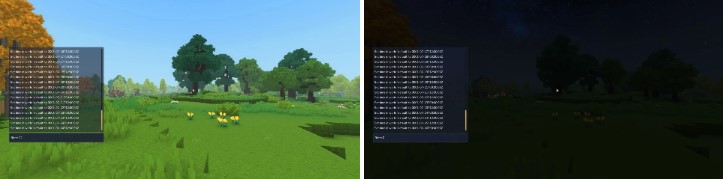
Hytale has several console commands for time management. The most useful ones are:
Console commands only work after a player grants himself administrator rights on the server using the “/op self” command .
| Console command | Description |
|---|---|
| /time <value> | Sets the time of day to the specified hour in 24-hour format. Accepts integers from 0 to 24. |
| /time pause | Stops the passage of time. Repeating the command resumes it. |
| /time dilation <value> | Changes the server’s time dilation scale (the speed at which time passes). The value must be between 0.01 and 4. The default is 1. |
| /time dawn OR /time day | Sets the dawn. |
| /time midday OR /time noon | Sets noon. |
| /time dusk OR /time night | Sets the evening. |
| /time midnight | Sets midnight. |
These commands allow you to force a specific time of day. This triggers events based on the passage of time. For example, you can manually control crop growth cycles or merchant restocking timers.







